



Microsoft has discovered StilachiRAT, a new and advanced remote access trojan (RAT) targeting cryptocurrency wallets stored in the Google Chrome browser. This malware is designed to steal wallet credentials, private keys, and sensitive user data, putting crypto holders at serious risk of asset theft.
🔍 What is StilachiRAT?
StilachiRAT is a stealthy malware that infiltrates systems through phishing emails, malicious downloads, and compromised browser extensions. Once installed, it operates discreetly in the background, stealing data and remotely controlling the infected system.
Microsoft researchers identified this trojan using advanced evasion techniques, making it harder for traditional antivirus software to detect.
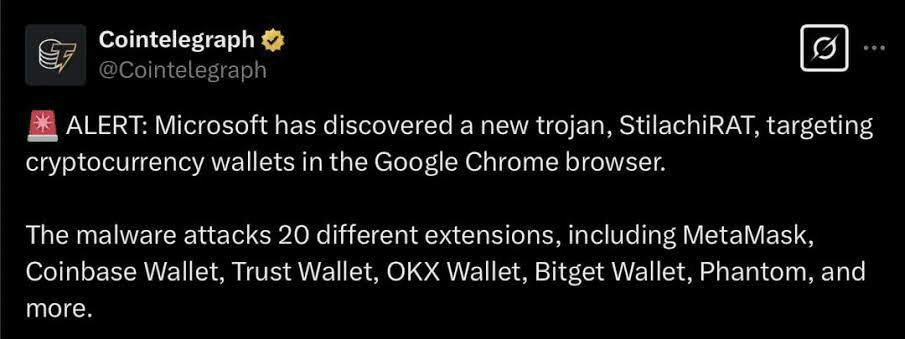
🎯 Which Wallets Are Targeted?
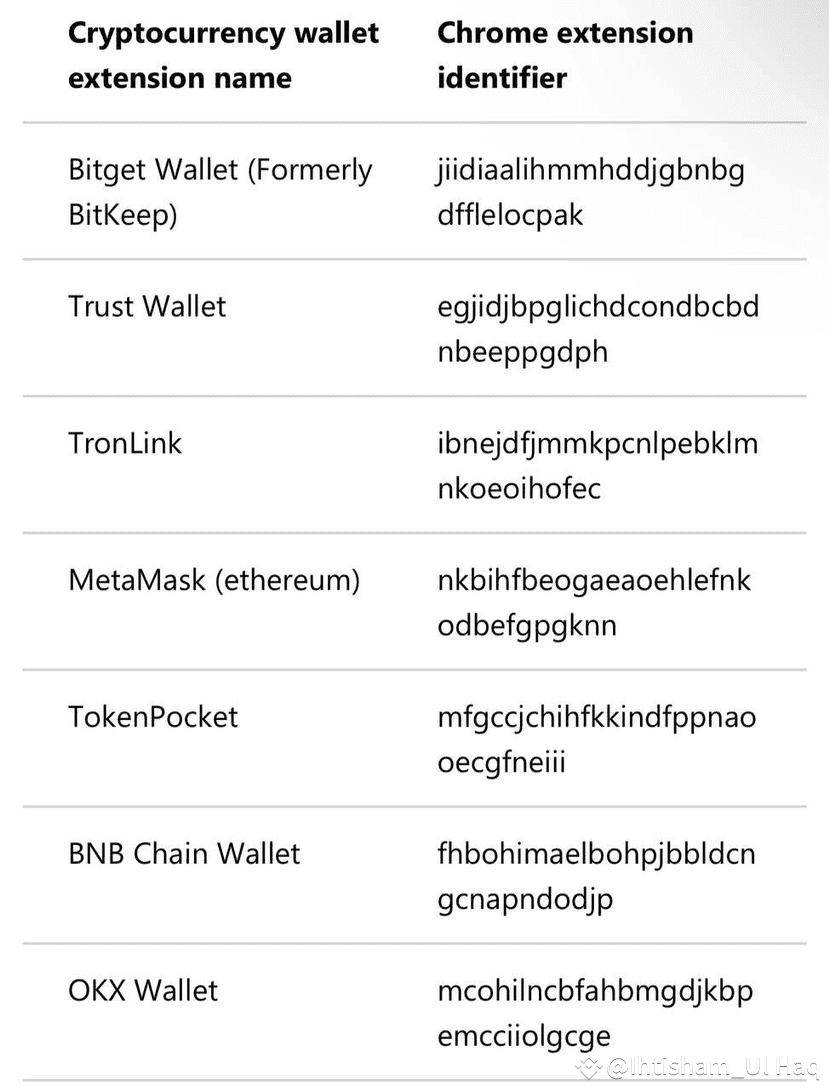
StilachiRAT specifically targets 20+ crypto wallet extensions in Google Chrome, including:
MetaMask
Coinbase Wallet
Trust Wallet
OKX Wallet
Phantom Wallet
Bitget Wallet
Math Wallet
BNB Chain Wallet
TokenPocket
Zerion
OneKey
BitKeep
These are some of the most widely used crypto wallets, and if you use any of them in Chrome, your funds could be at risk.
🛠️ How StilachiRAT Works
1️⃣ Steals Saved Browser Data:
Extracts and decrypts saved passwords, wallet credentials, and private keys from Chrome.
Gathers browser cookies and session tokens, allowing attackers to hijack accounts.
2️⃣ Clipboard Monitoring:
Tracks copied text to steal wallet addresses, seed phrases, and passwords.
Can replace copied addresses with those controlled by attackers, tricking users into sending funds to the wrong wallets.
3️⃣ Remote Control & Keylogging:
Enables attackers to execute commands remotely.
Records keystrokes to capture login credentials.
Takes screenshots and monitors active windows.
4️⃣ Evades Detection:
Hides in system processes and bypasses security software.
Uses code obfuscation to avoid being flagged by antivirus tools.
🛡️ How to Protect Your Wallet
✔ Avoid Storing Passwords in Your Browser
Never save private keys, seed phrases, or wallet passwords in Chrome or any browser.
Use hardware wallets (Ledger, Trezor) or encrypted password managers instead.
✔ Enable Two-Factor Authentication (2FA)
Activate 2FA on your exchanges and wallet accounts for an added layer of security.
✔ Use a Secure Browser
Consider using Brave or a separate dedicated browser for crypto transactions.
✔ Check Extensions Regularly
Remove unused or suspicious extensions from Chrome.
Only install wallet extensions from official sources.
✔ Keep Software Updated
Update your browser, OS, and security software regularly to patch vulnerabilities.
✔ Use a Strong Antivirus & Anti-Malware Tool
Use reputable security software like Malwarebytes, Bitdefender, or Microsoft Defender.
Scan your system frequently for malware.
✔ Be Cautious of Phishing & Suspicious Links
Avoid clicking on random links in emails, Discord, Telegram, or Twitter.
Always verify website URLs before entering sensitive information.
✔ Check for Unauthorized Transactions
Regularly review your wallet and revoke approvals for unused dApps using sites like
🔹 Revoke.Cash
🔹 Debank