
Now that you know how to buy and sell crypto, the next essential step is getting funds into your Binance account (depositing) and taking them out (withdrawing). This guide covers the main methods using the mobile app: fiat deposits, crypto transfers, and P2P trading.
Always double-check wallet addresses and networks — crypto transactions are irreversible!
1. Depositing Fiat – Easiest for Beginners
The most beginner-friendly way to add funds is through Binance P2P, where you buy crypto (like USDT) directly from other users using bank transfer, mobile money, or other local payment methods.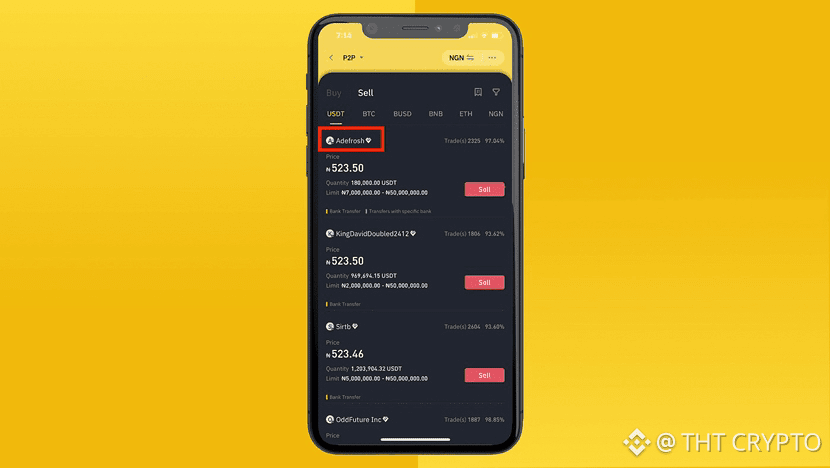
Step-by-Step in the App:
Open the Binance app → Tap Trade (bottom menu) → Select P2P (or find “Buy Crypto” → “P2P Trading” on the homepage).
Choose Buy → Select the crypto you want (e.g., USDT) → Choose your fiat currency.
Filter by payment method (e.g., Bank Transfer).Browse offers: Look for sellers with high completion rate (95%+), many completed orders, and a competitive price. Tap an offer that suits you.
Enter the amount (in fiat or crypto) → Review the details (payment window is usually 15 minutes).
Tap Buy USDT (or similar) → Confirm.Follow the seller’s payment instructions (shown securely in the chat). Once you’ve paid, tap Transferred, notify seller.
The seller releases the crypto to your Spot Wallet.
Funds arrive instantly after release — one of the fastest ways to fund your account!
Alternative Fiat Options: Depending on your region, you may also see direct card deposits or bank transfers under Wallet → Deposit → Fiat. Check what’s available for you.
2. Depositing Crypto (From Another Wallet or Exchange)
Transfer crypto like BTC, ETH, USDT, etc., from an external wallet or another platform.
Step-by-Step:
Tap Wallet (bottom menu) → Deposit (or the + icon).
Search and select the cryptocurrency (e.g., USDT).
Choose the correct network (critical! Match the network used by the sender — e.g., BEP-20 for low fees on BNB Chain, TRC-20 on Tron, ERC-20 on Ethereum).
Copy your unique Binance deposit address (or scan the QR code).
Paste it into your sending wallet/exchange and initiate the transfer. Always send a small test amount first!Wait for network confirmations — funds will appear in your Spot Wallet. Check the transaction history for status.
3. Withdrawing Crypto (To an External Wallet)
Send your crypto from Binance to a personal wallet (e.g., hardware wallet, Trust Wallet, MetaMask).
Step-by-Step:
Go to Wallet → Withdraw (or Send).
Select the cryptocurrency you want to withdraw.
Paste the recipient’s wallet address very carefully (triple-check!).
Choose the matching network → Enter the amount.
Review the withdrawal fee and final amount → Confirm with your 2FA code or verification.
Funds arrive in the destination wallet depending on the network’s speed (usually minutes to hours).
4. Withdrawing Fiat (Cash Out to Bank)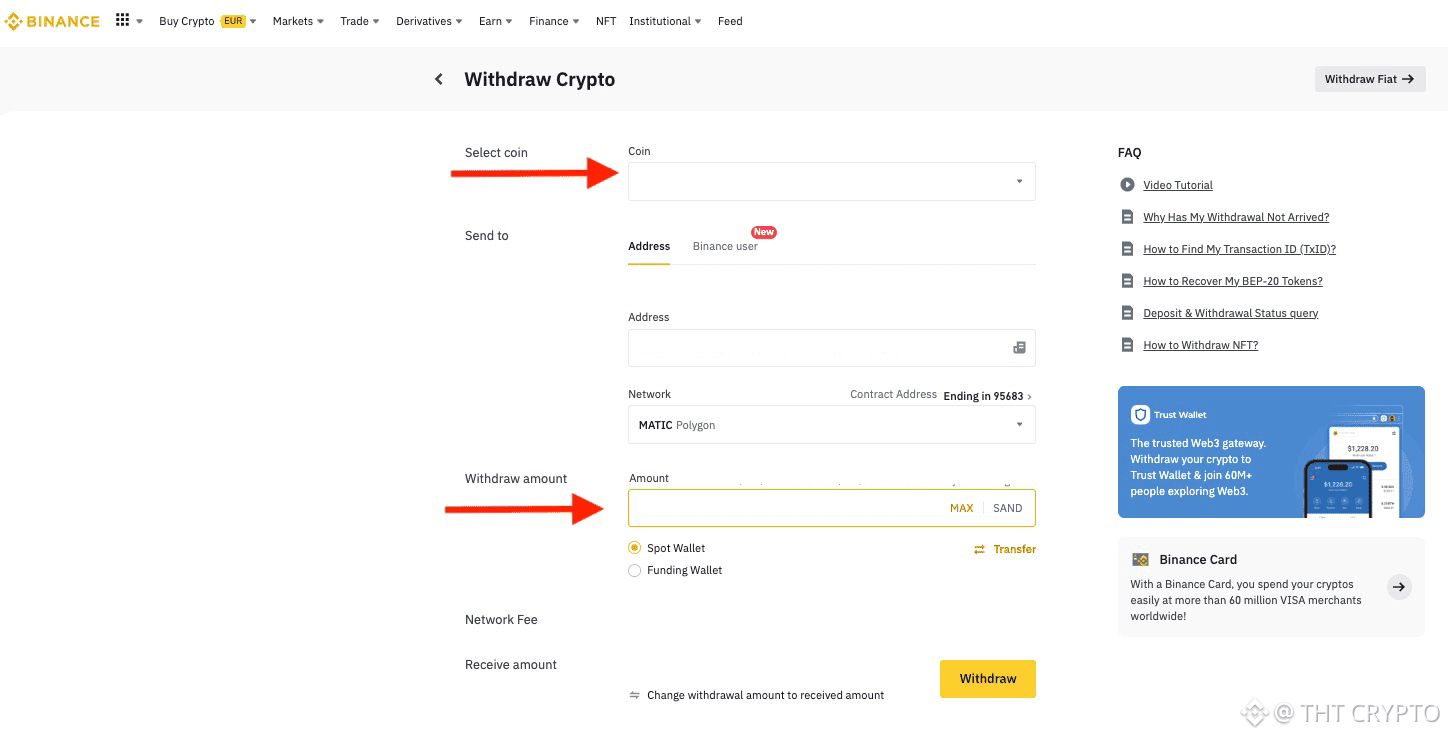
The simplest way is P2P Sell:
Go to P2P → Sell → Choose the crypto (e.g., USDT) → Select your fiat currency.
Pick a buyer offer that supports your preferred payment method (e.g., bank transfer).
The buyer sends the fiat → You confirm receipt in the app and release the crypto.
The money arrives in your bank account quickly.
Quick Safety Tips:
Always use trusted merchants with high ratings on P2P.
Complete identity verification (KYC) to unlock higher limits.
Start with small amounts when trying a new method.
Never share your 2FA codes or private keys.
You’re now ready to move funds in and out of Binance with confidence!
Next article (#5): Securing Your Binance App Account — 2FA, Biometrics, and Best Practices.


