
Binance Square Overview
Binance Square is the official content platform inside Binance.
It works like a social feed for crypto users.
Inside Binance Square you can
• Read posts
• Publish posts
• Join campaigns
• Earn rewards without trading large amounts
Two main earning systems exist inside Square
• Write to Earn
• CreatorPad
Both are active and updated regularly.
2. What Write to Earn Really Is
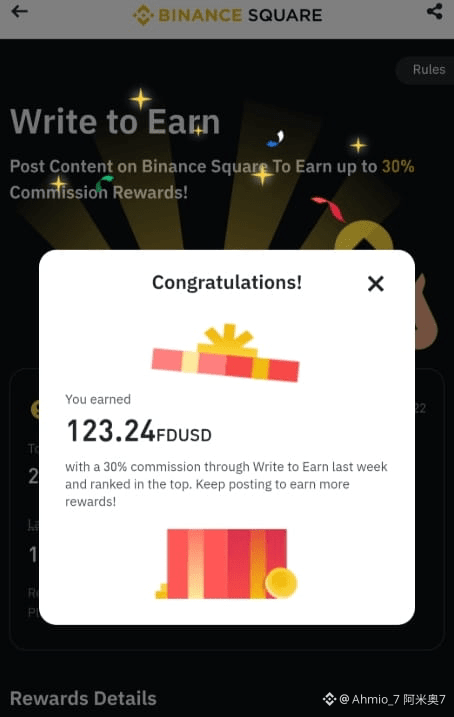
Write to Earn is a commission based program.
You earn money when people trade after reading your content.
This is not a fixed reward system.
Your income depends on real user activity.
3. Write to Earn Step by Step Flow
Step 1 Create a Binance Account
You must
• Register on Binance
• Complete identity verification
• Enable security
Without verification you cannot earn.
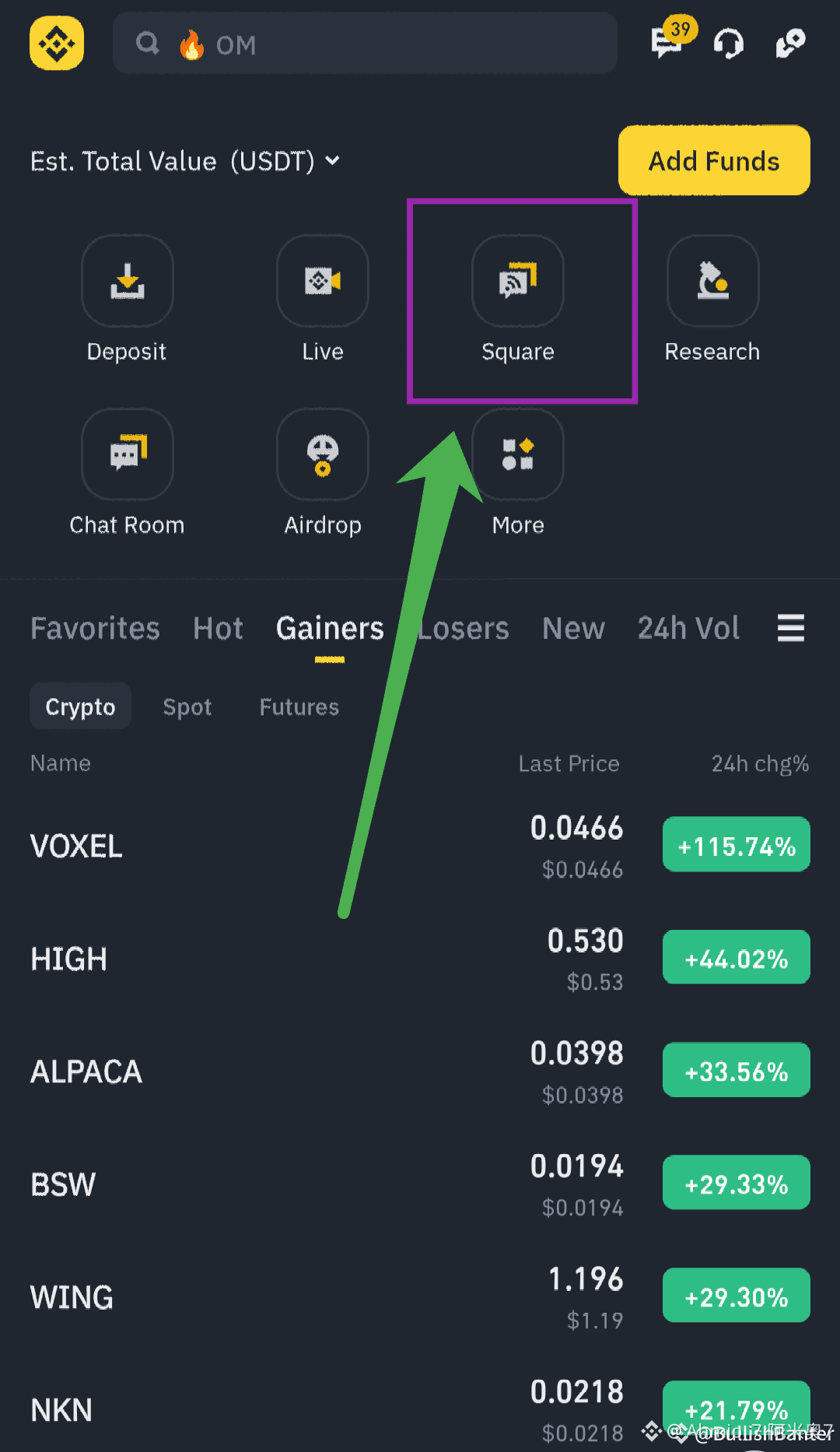
Step 2 Open Binance Square
On mobile app
• Open Binance
• Tap Square
On web
• Login
• Open Square from menu
Create your Square profile
Add photo
Add name
Step 3 Join Write to Earn Program
Inside Square
• Open Creator Center
• Find Write to Earn
• Click Join
Accept terms
Your account becomes eligible.
Step 4 Create Content
You can post
• Text posts
• Long articles
• Market insights
• Project analysis
Your content must
• Stay public
• Stay live during reward period
• Follow community rules
Low quality spam content is removed.
Step 5 How Earnings Are Generated
When a reader
• Reads your post
• Clicks trade option
• Trades Spot Margin or Futures
You earn a percentage of trading fees.
You do not earn from
• Your own trades
• Copy trading
Step 6 Write to Earn Reward Levels
Current structure includes
• Base commission for all creators
• Higher commission for top creators
• Weekly ranking system
Top creators can earn much higher fee share than normal users.
Rewards are
• Calculated weekly
• Paid in FDUSD
• Sent to Funding Wallet
Minimum payout amount applies.
4. What CreatorPad Is
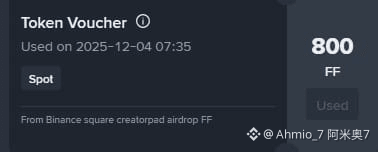
CreatorPad is campaign based earning.
You earn token vouchers by completing tasks.
It is different from Write to Earn.
No need to wait for user trading volume.
5. CreatorPad Step by Step Flow
Step 1 Open CreatorPad
Inside Binance Square
• Open Creator Center
• Select CreatorPad
You will see live campaigns.
Step 2 Join a Campaign
Each campaign shows
• Project name
• Reward pool
• End date
Click Join Now
Confirm participation.
Step 3 Complete Required Tasks
Tasks vary per campaign but usually include
• Follow project account
• Follow project social account
• Publish content with hashtag
• Trade small amount of project token
Each task gives points.
Step 4 Content Task Rules
Content must
• Be original
• Mention project properly
• Use required hashtag
• Stay public
Copied content is disqualified.
Step 5 Trading Task Rules
Trading tasks usually require
• Small amount like ten dollars
• Spot or Futures depending on campaign
Trading volume adds points.
Step 6 Leaderboard System
Most CreatorPad campaigns use leaderboard.
Points come from
• Content quality
• Engagement
• Task completion
• Trading activity
Higher rank means larger reward share.
6. CreatorPad Rewards Explained
Rewards are distributed as
• Token vouchers
After campaign ends
• Binance verifies results
• Vouchers are issued
Vouchers may
• Have unlock period
• Have expiry date
You must claim them in time.
Difference Between Write to Earn and CreatorPad
Write to Earn
• Earn trading fee commission
• Income depends on readers
• Continuous earning
CreatorPad
• Earn fixed token rewards
• Task based
• Campaign limited
Many creators use both together.
8. Best Practices for Higher Earnings
• Post consistently
• Focus on useful information
• Avoid hype language
• Follow campaign rules exactly
• Monitor leaderboard daily
Quality matters more than quantity.
9. Common Reasons for Disqualification
• Copy paste content
• Fake engagement
• Deleted posts
• Missing hashtag
• Incomplete tasks
Always double check tasks.
10. Important Notes
• Availability depends on region
• Rules change per campaign
• Binance can update terms anytime
• Rewards are not guaranteed
Always read campaign page.