

SurfScore Profile is where your full onchain journey on SurfLayer comes together.
It records your activities, achievements, and identity in one place, giving you a clear view of how you interact across the platform.
What Your Profile Shows
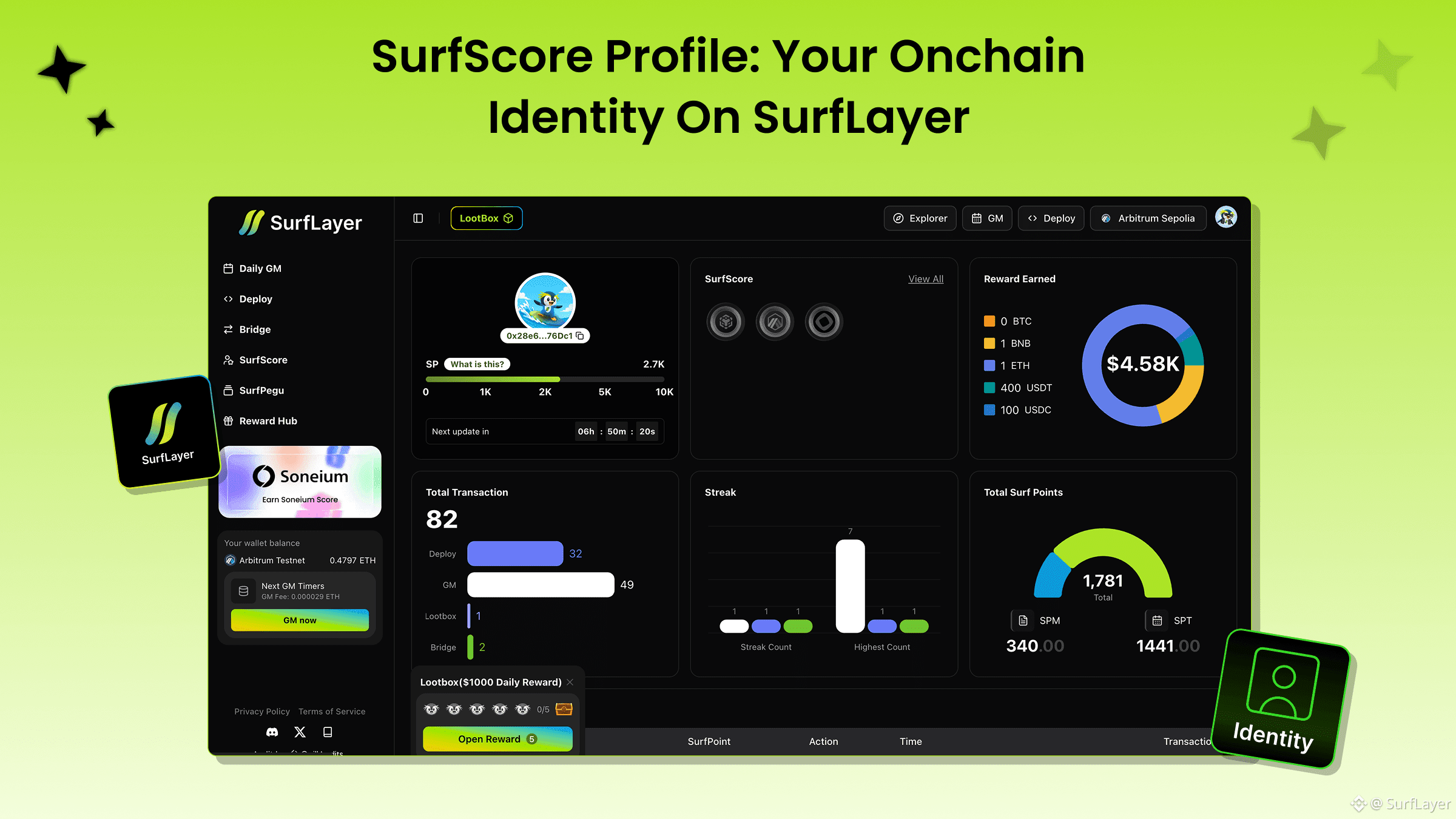
Your Profile page provides a complete overview of your activity on SurfLayer, including:
Your onchain actions such as GM, Deploy, SurfScores, and your highest streak
Total rewards you have earned
Total SurfPoints accumulated
Your SurfPegu (PFP)
Your SurfLayer username
Connected X and Discord accounts
Badges earned through your interactions on SurfLayer
All information shown on your Profile is based on real activity on the platform.
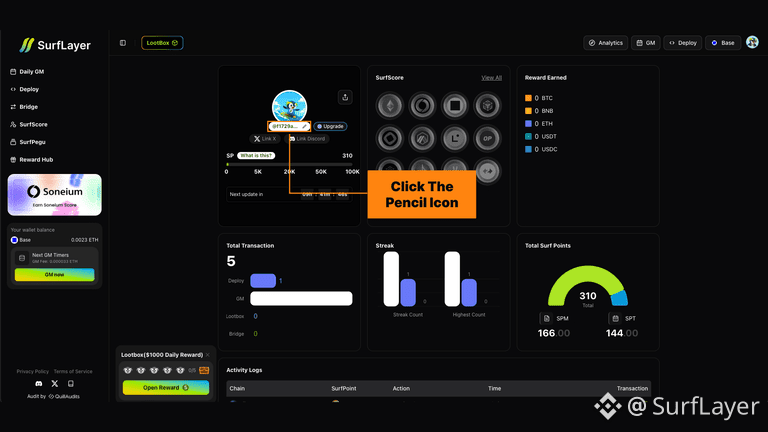
Update Your SurfLayer Username
Users who own a SurfScore on any supported chain can update their SurfLayer username.
How to update:
Go to your Profile on SurfLayer
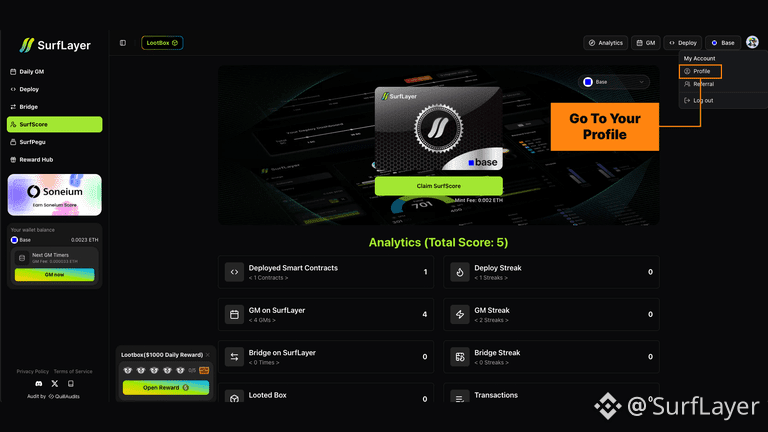
Click the pencil icon ✎ next to your username
Connect Your Social Accounts
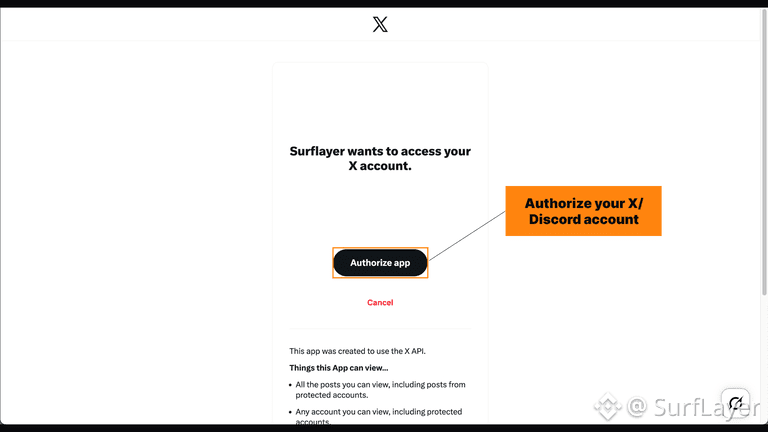
You can link your Profile with your X and Discord accounts to complete your onchain identity.
How to connect:
Open your Profile
Click the pencil icon ✎ in the Social Accounts section
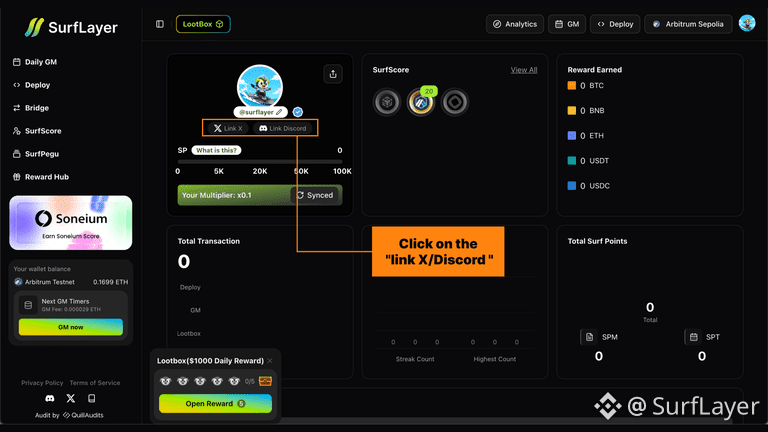
Authorize your X or Discord account
SurfScore Profile brings together your actions, rewards, and identity into a single onchain view.
It shows not just what you have done, but how your presence on SurfLayer evolves over time.
👉 View your Profile on SurfLayer: https://surflayer.xyz/surfscore