

Having a secure account is the most important thing, especially if you use wallets with high value in cryptocurrencies. Adding security to your account will only take a few minutes (5-10 min).
Wallet thefts are very frequent if your account has minimal security. The ideal is to implement 2-factor security or HotWallet/ColdWallet. In addition to securing your account, you can also sleep peacefully knowing that your account will be protected using multiple factors to prevent malicious phishing.
Points to protect your account:
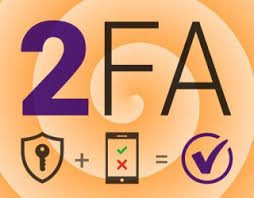
1. Evolve your 2FA: SMS is no longer enough 📱
Many believe that having the SMS code makes them secure. Wrong. SIM Swapping allows hackers to clone your number.
Pro Level: Activate Passkeys. Use your phone's biometrics (FaceID or fingerprint) or physical keys like Yubikey. It is the highest standard (FIDO2) and is practically immune to phishing.
Safe Level: Use Binance Authenticator. Generates dynamic codes every 30 seconds.
⚠️ Golden tip: If you use authentication apps, write down the backup key on paper! If you lose your mobile without that code, recovering access will be a long process.
2. The Anti-Phishing Code: Your personal watermark 📧
Did you receive an email from Binance asking you to "verify" something? Do not click without seeing your Anti-Phishing Code.
Set it up in Security > Anti-Phishing Code.
Choose a word that only you know (e.g., Satoshis2026).
If the Binance email does not include that exact word, it is fake. Simple as that.
3. Withdrawal Whitelisting ⚪
This is the last line of defense. If someone manages to breach your password and your 2FA, the Whitelist can save your funds.
When activated, you will only be able to send crypto to addresses that you have previously saved.
If a hacker tries to add their address, they will have to wait the security period (24h-48h), giving you time to freeze your account.
4. Basic Digital Hygiene 🧼
Exclusive Email: Do not use the same email from your social networks for Binance.
Log Out Sessions: Go to Device Management and remove any phone or PC you no longer use.
No "Flexing": Avoid posting screenshots of your balances on social networks. Discretion is security.
Recommendation: Protecting your account and keeping it secure is essential, especially to protect your funds from malicious individuals. Remember: Prevention is your best ally.