
Escribí un script de comando de un clic para el robot de mint
Dirección del script: https://github.com/qiyan758/OM1-installer
¿Cómo usarlo?
1. Copie el comando de un clic en el VPS
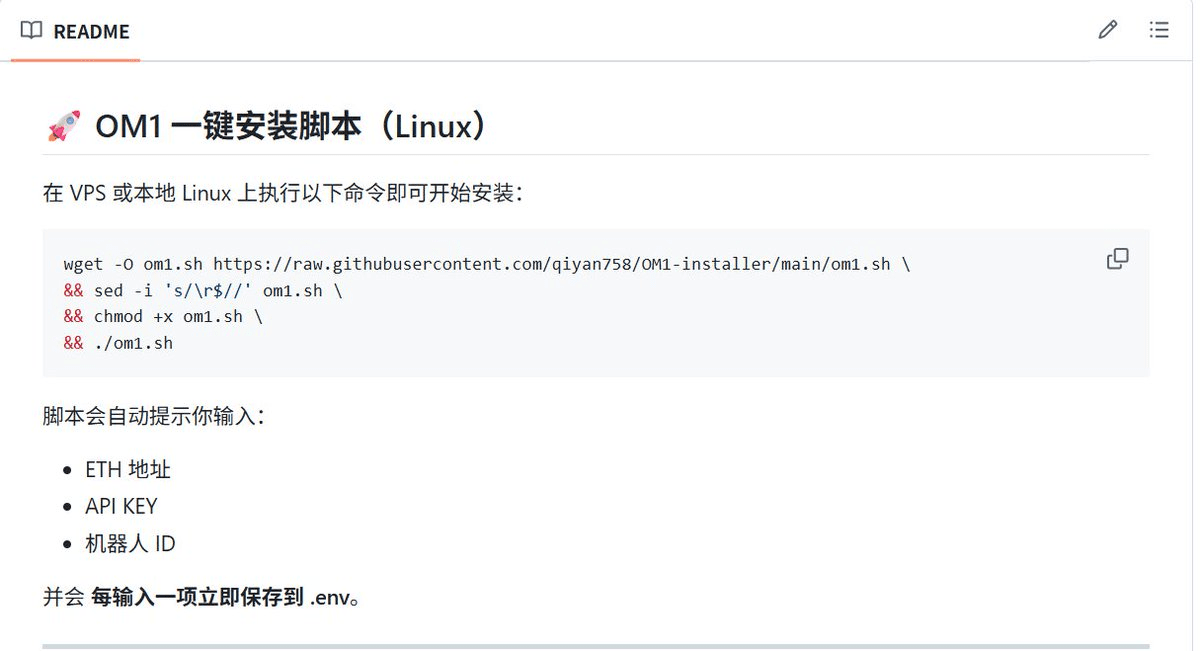
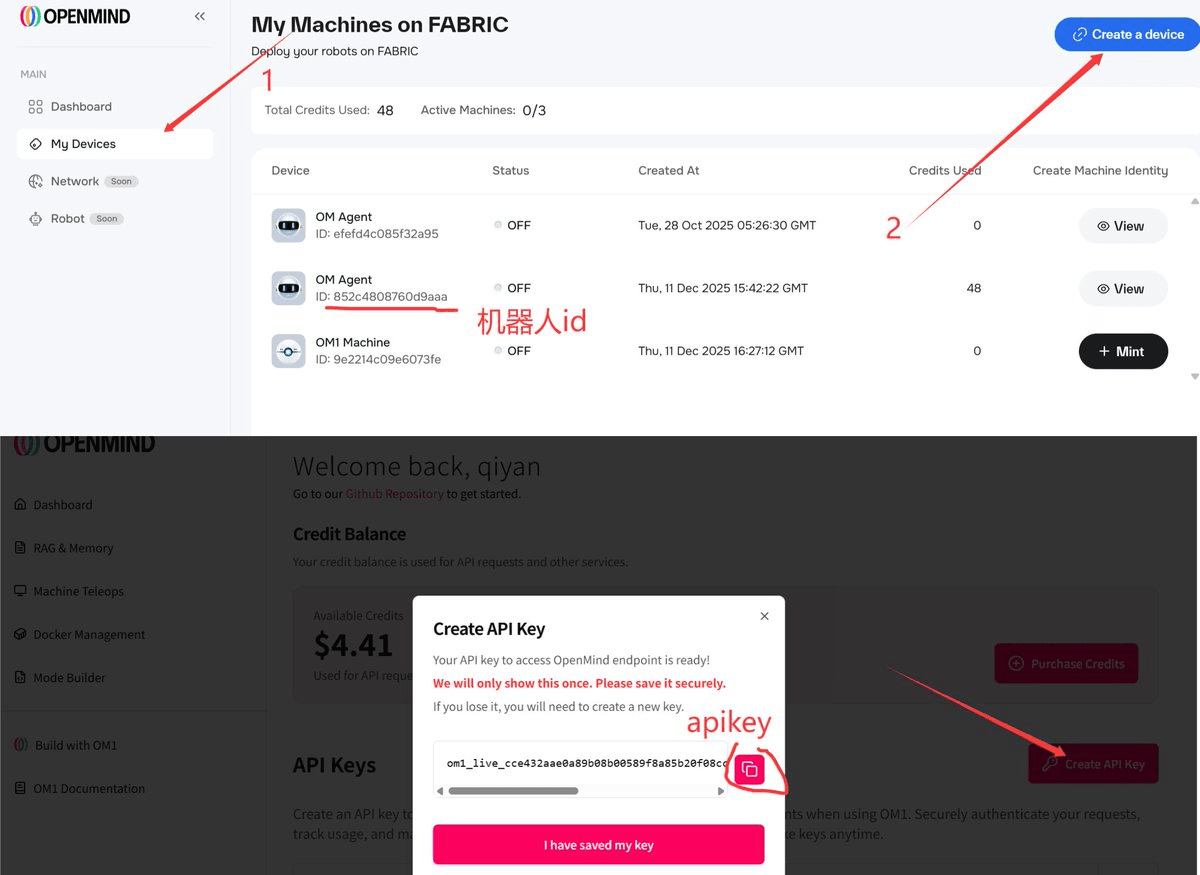
2. Ingrese según las indicaciones
Dirección ETH
API KEy
ID del robot
3. Ingrese el comando
cd ~/OM1
source .venv/bin/activate
uv run src/run.py spot
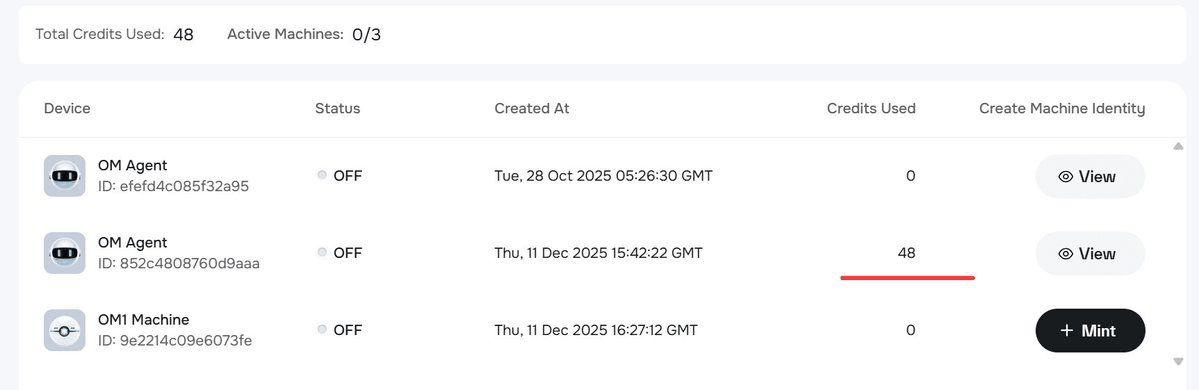
Consumir puntos ilumina
4. Mantenga presionado 'ctrl+z' para cambiar a la siguiente experiencia
Ingrese el comando
uv run src/run.py conversation
Completar la función de conversación
5. Prueba de hardware de audio (opcional)
Ingrese el comando
python test_audio.py
