
Whether you’re just starting your crypto journey or you’re an experienced trader who prefers a clean and simple interface, Binance Lite is made for you.
Binance Lite is a lightweight version of the Binance App that focuses only on what matters most:
👉 Buying
👉 Selling
👉 Converting crypto
It’s especially helpful if you’re using an older phone or have a slow internet connection — faster, smoother, and easier than the Pro version.
How to Enable Binance Lite ?
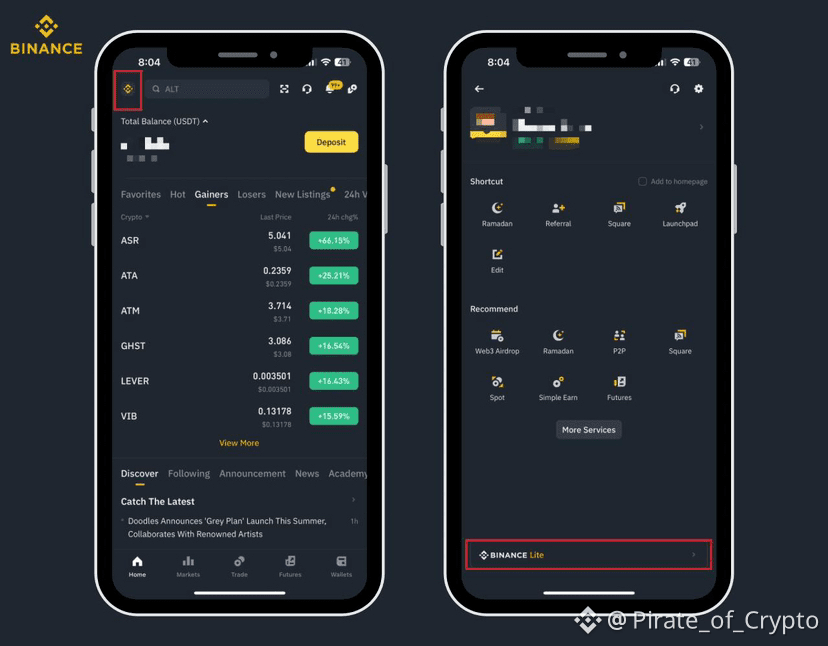
Open your Binance App
Tap the menu icon (top-left corner)
You’ll see Binance Lite at the bottom — tap to activate
How Binance Lite Works?
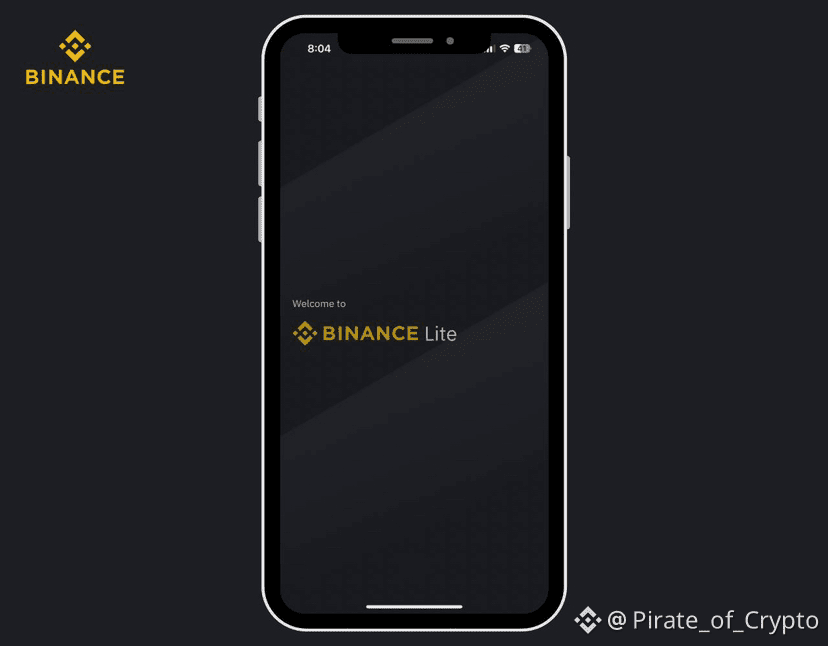
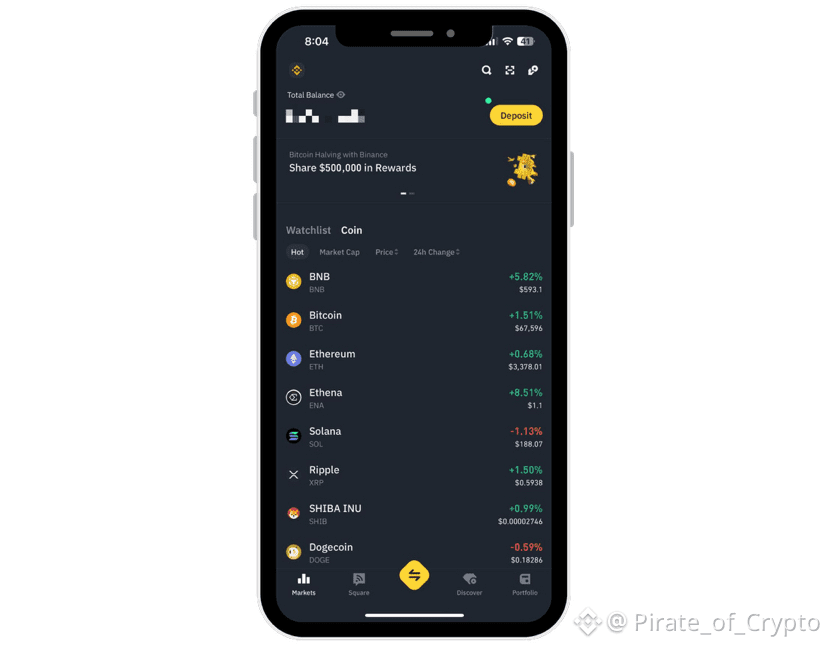
Once inside, you’ll see a list of cryptocurrencies on your home screen.
You can sort coins by:
✔ Market Cap
✔ Price Change
✔ Trending Coins
✔ Popularity
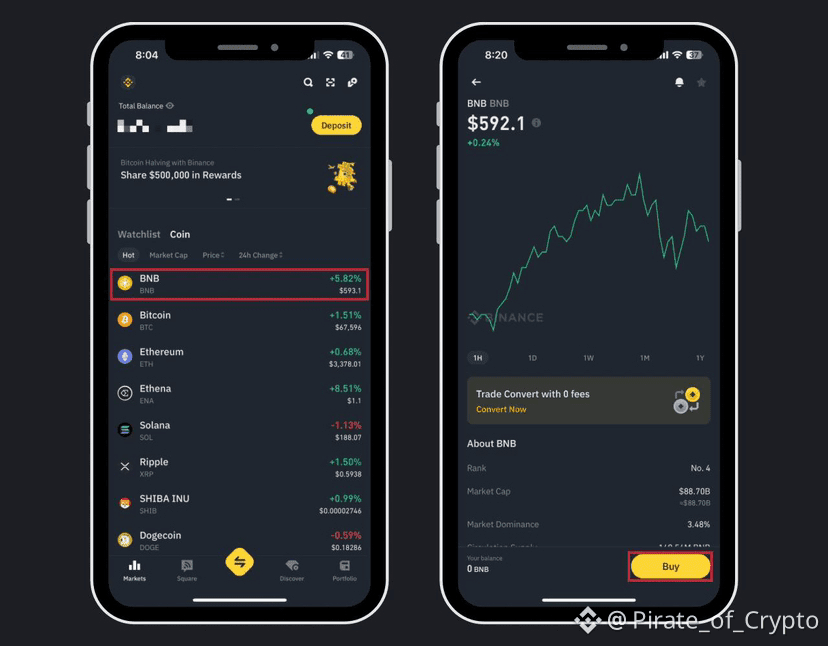
Tap any coin to view:
• Simple candlestick chart
• Current price
• Key coin details
• Latest news
Bonus: Binance Lite also gives access to Binance Earn, so your crypto can grow even when you’re not actively trading.
💰How to Buy Crypto Using Binance Lite
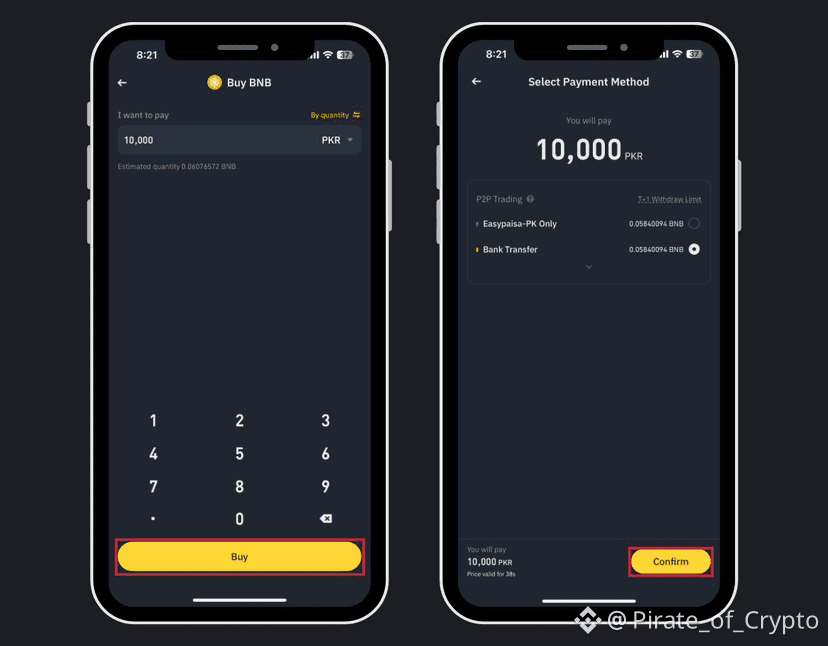
1️⃣ Choose the coin you want to buy (for example, BNB)
2️⃣ Tap Buy
3️⃣ Enter the amount you want to spend
4️⃣ Tap Buy again
5️⃣ Select your payment method and tap Confirm
6️⃣ Complete payment as instructed
7️⃣ Click Transferred, Notify Seller
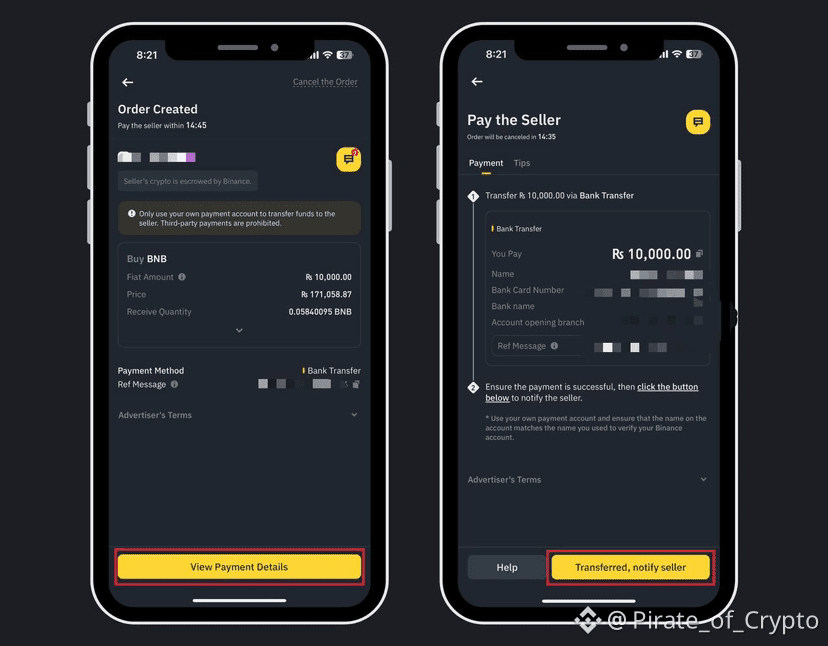
That’s it! Your crypto will appear in your wallet shortly.
How to Sell Crypto Using Binance Lite
1️⃣ Tap Portfolio (bottom-right)
2️⃣ Select the coin you want to sell
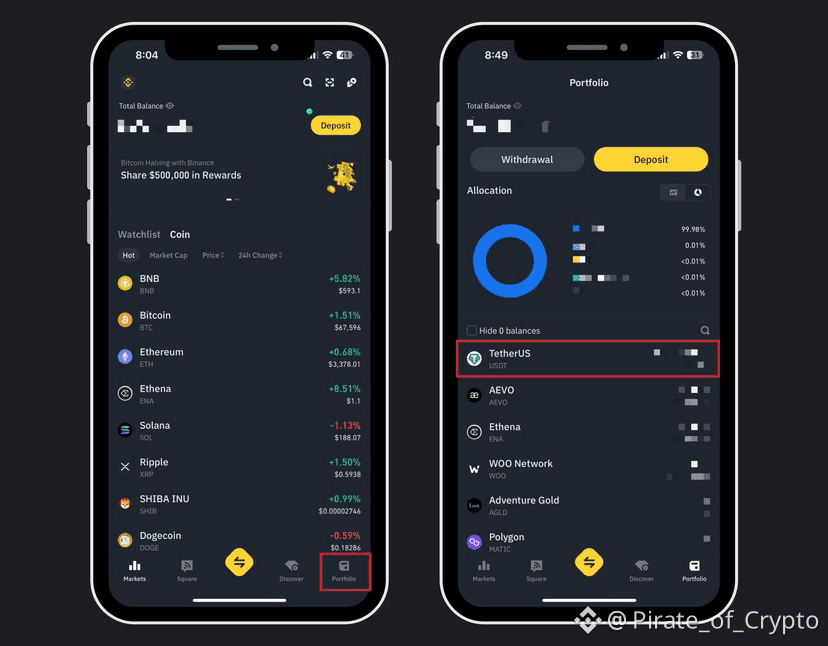
3️⃣ Tap Sell
4️⃣ Enter amount
5️⃣ Tap Sell again
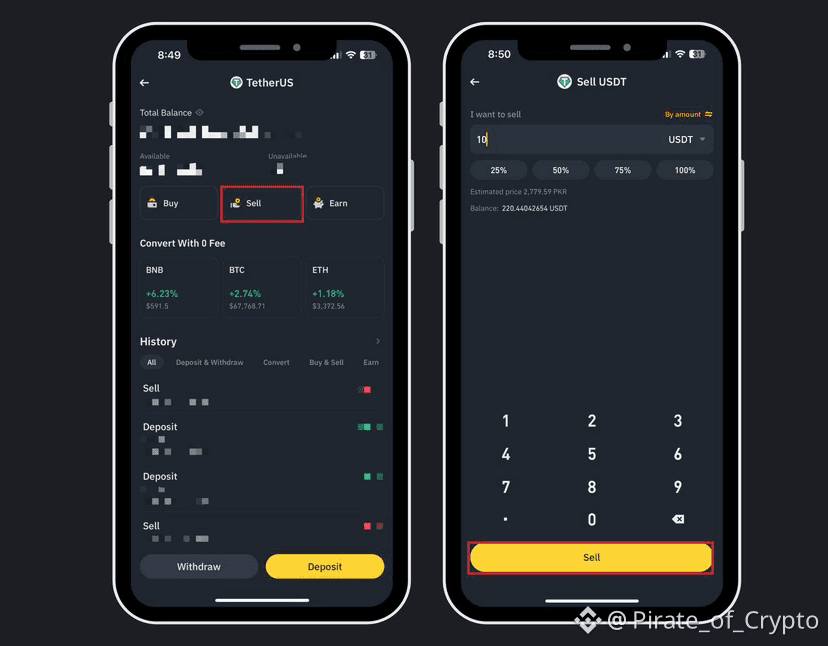
6️⃣ Choose how you want to receive payment
7️⃣ Confirm and release crypto after receiving funds
Simple and stress-free.
💡 Why Use Binance Lite?
Beginner-friendly
Fast and smooth
Less clutter
Perfect for daily buying & selling
If you found this helpful, drop a ❤️ and comment “LITE”
Follow for more easy crypto tips!
#BinanceLite #cryptotrading #BNB_Market_Update #BinanceLaunchPool🔥 #CryptoTips 🚀📈