
Cryptocurrency security is one of the most important aspects of using any exchange, and Binance — as one of the world’s largest crypto trading platforms — offers a wide range of tools to protect your account and your funds. In 2026, with rising phishing threats and increasingly sophisticated scams, securing your Binance account has never been more critical.
This guide will walk you through every essential step, based on Binance’s official recommendations and best industry practices, to help protect your account from unauthorized access and fraud.
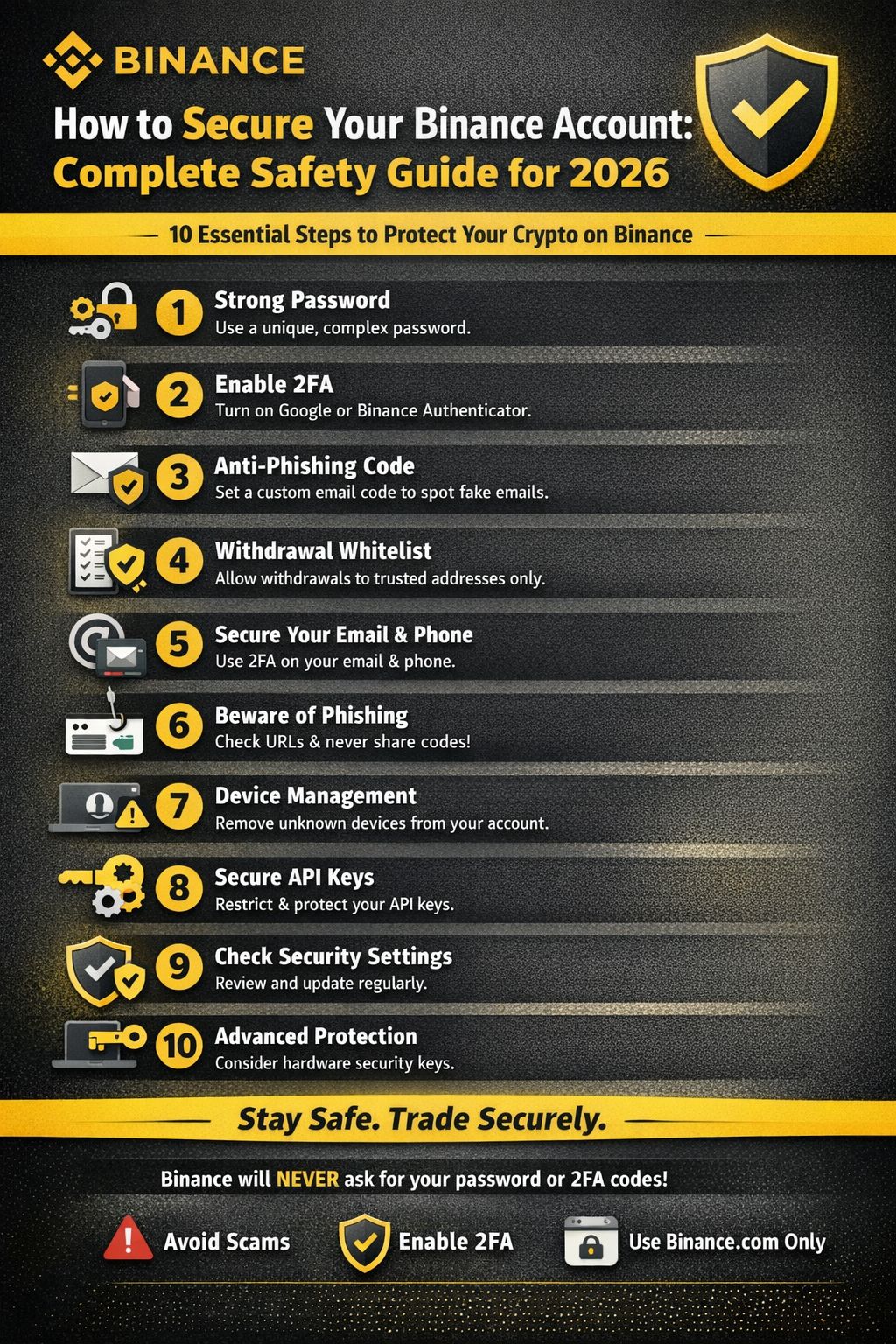
✅ 1. Use a Strong, Unique Password
The foundation of any secure account is a strong password:
Use at least 12+ characters with a mix of uppercase, lowercase, numbers, and symbols.
Never reuse passwords from other sites or apps.
Change your password periodically (e.g., every 3–6 months).
Use a reliable password manager (like Bitwarden, 1Password, etc.) to generate and store complex passwords securely.
Why it matters: Easy or reused passwords are extremely vulnerable to brute-force attacks or credential stuffing.
✅ 2. Enable Two-Factor Authentication (2FA)
Two-Factor Authentication adds a second layer of security on top of your password.
You should enable authenticator app 2FA (Google Authenticator, Binance Authenticator, or Authy) because it’s more secure than SMS codes, which can be compromised through SIM-swap attacks.
How to enable 2FA:
Log in to your Binance account.
Go to Security Settings.
Select Google Authenticator or another supported app.
Scan the QR code and save your backup codes offline.
Pro tip: Always write down your recovery key and keep it somewhere safe — this helps you restore access if your phone is lost.
✅ 3. Set an Anti-Phishing Code
Binance lets you create a custom anti-phishing code (a unique word or phrase). This code is included in every official Binance email you receive.
When you don’t see your anti-phishing code in an email claiming to be from Binance, it’s likely a scam.
✅ 4. Keep Your Email and Phone Secure
Your Binance account security heavily depends on how secure your email and phone are:
Use a dedicated email account just for Binance.
Enable 2FA on your email.
Protect your phone with a PIN, fingerprint, or face ID.
Watch out for suspicious SMS or emails asking for login codes.
✅ 5. Enable Withdrawal Whitelisting
Withdrawal whitelisting lets you control exactly where your crypto can be sent. After you add trusted wallet addresses, Binance only allows withdrawals to those addresses. Any other address will be blocked or require extra verification.
This is one of the most powerful tools against unauthorized withdrawals.
✅ 6. Use Device & IP Management Tools
Within Binance’s security settings, you can:
See all devices logged into your account.
Remove any unfamiliar devices.
Manage IP access for extra control.
If you see unfamiliar activity, remove the device immediately and change your password + 2FA.
✅ 7. Secure API Keys
If you use API keys (for bots or advanced trading):
Only generate keys when necessary.
Restrict API access by IP address whenever possible.
Store keys securely and never share them.
Revoke unused or old API keys.
🛑 8. Beware of Phishing & Scams
Phishing is one of the most common ways attackers try to steal credentials.
Tips to avoid phishing:
Always check the website URL — it should be exactly generallink.top (or your regional Binance domain).
Never click links from SMS or emails without confirming the anti-phishing code.
Install browser anti-phishing extensions.
Do not share 2FA codes or private keys with anyone.
Important: Binance will never ask you to call a number or share sensitive information via email, messages, or social platforms.
🧠 9. Regularly Review Your Security Settings
Security isn’t a one-time task — it should be an ongoing habit:
Check your security dashboard regularly.
Update passwords and 2FA backups when necessary.
Remove outdated devices and withdrawal addresses.
Watch official Binance announcements for any new safety tools.
🛡️ 10. Consider Advanced Security Tools
For higher security (especially if you hold significant amounts):
Use hardware security keys (like YubiKey) for 2FA.
Look into passkeys and multi-validator authentication for enterprise-level protection.
Final Thoughts
Protecting your Binance account is partly about using the tools Binance provides and partly about adopting safe online habits. With phishing attempts becoming more sophisticated, account security should be your top priority in 2026 and beyond.
Secure your account today and you’ll trade with confidence and peace of mind.