
In this article, I’ll walk you through a complete Binance Lite tutorial. Binance Lite is a simple and user friendly version of the Binance app, designed especially for beginners who are just starting out.
We’ll cover the main features available in Lite mode, including how to buy, sell, and convert cryptocurrencies.
So let’s get started with how you can use Binance Lite.
You can access the Binance Lite feature directly inside the Binance App, so there’s no need to download any extra application. If you’re unable to see the option, make sure your Binance App is updated to the latest version.
To switch the app mode, tap on the Binance logo located at the top left corner of the app.
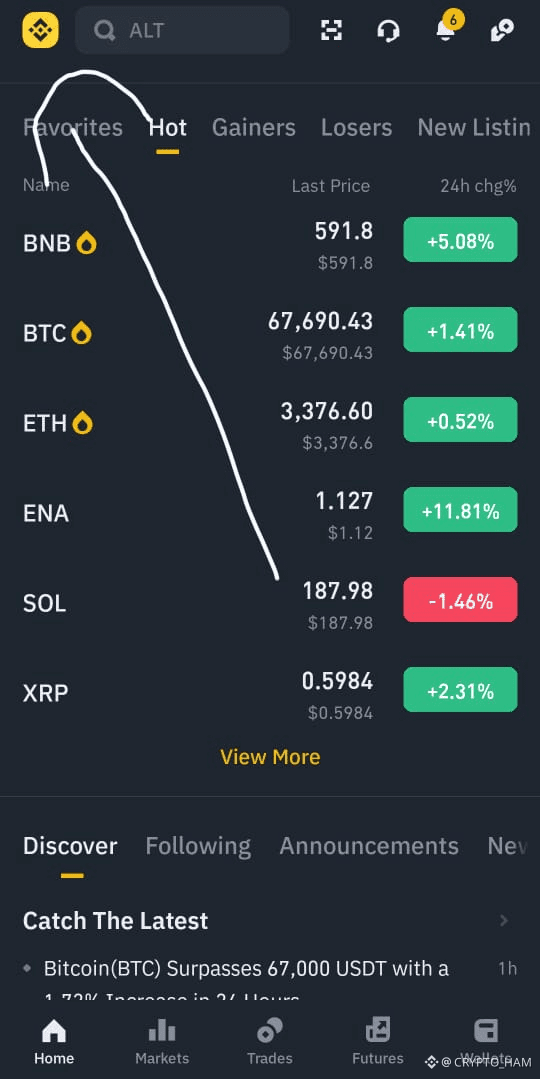
Step 2
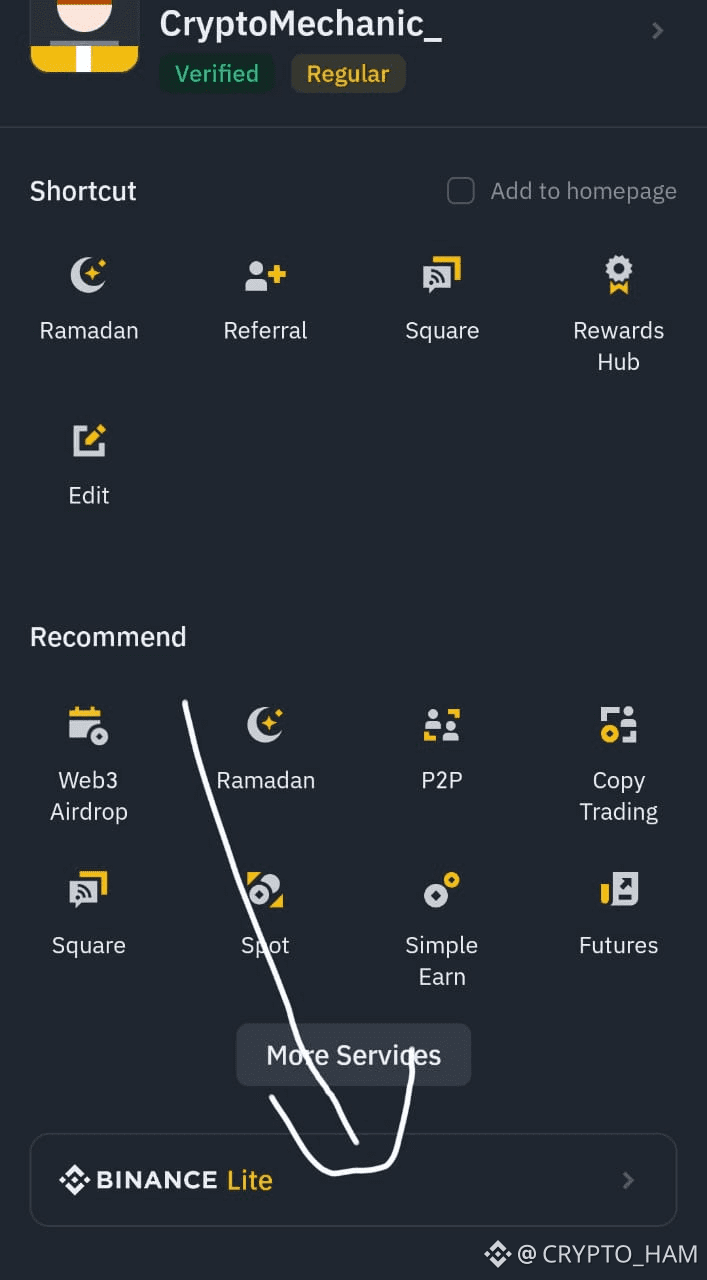
After that, simply tap on Binance Lite at the bottom of the screen. This will take you to the Binance Lite interface.
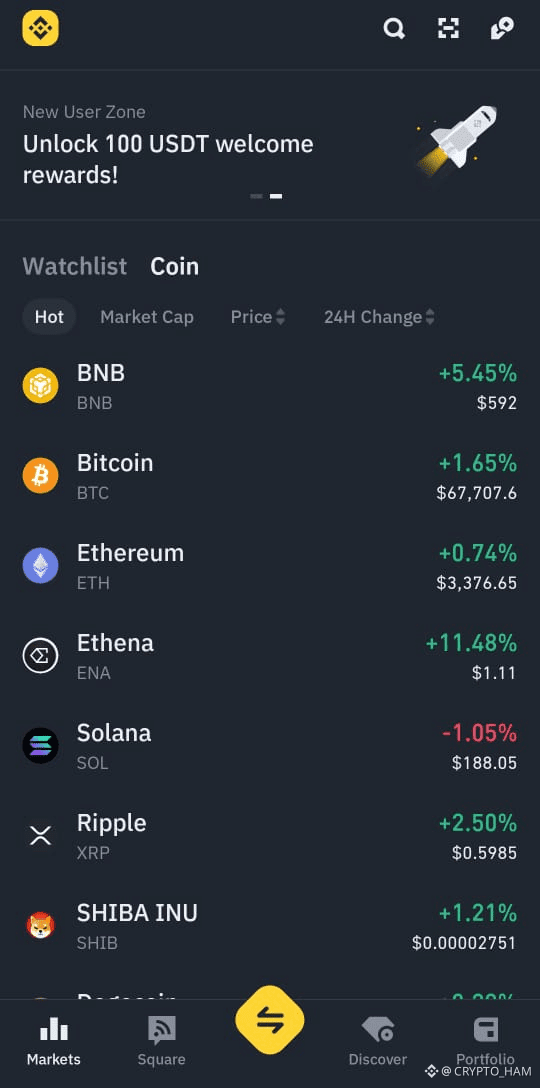
Binance Lite is a simplified version of Binance Pro, offering a clean and easy to navigate layout. It focuses on popular cryptocurrencies and allows sorting by popularity, market cap, price, and 24 hour performance. Users can also check price movements using customizable candlestick charts.
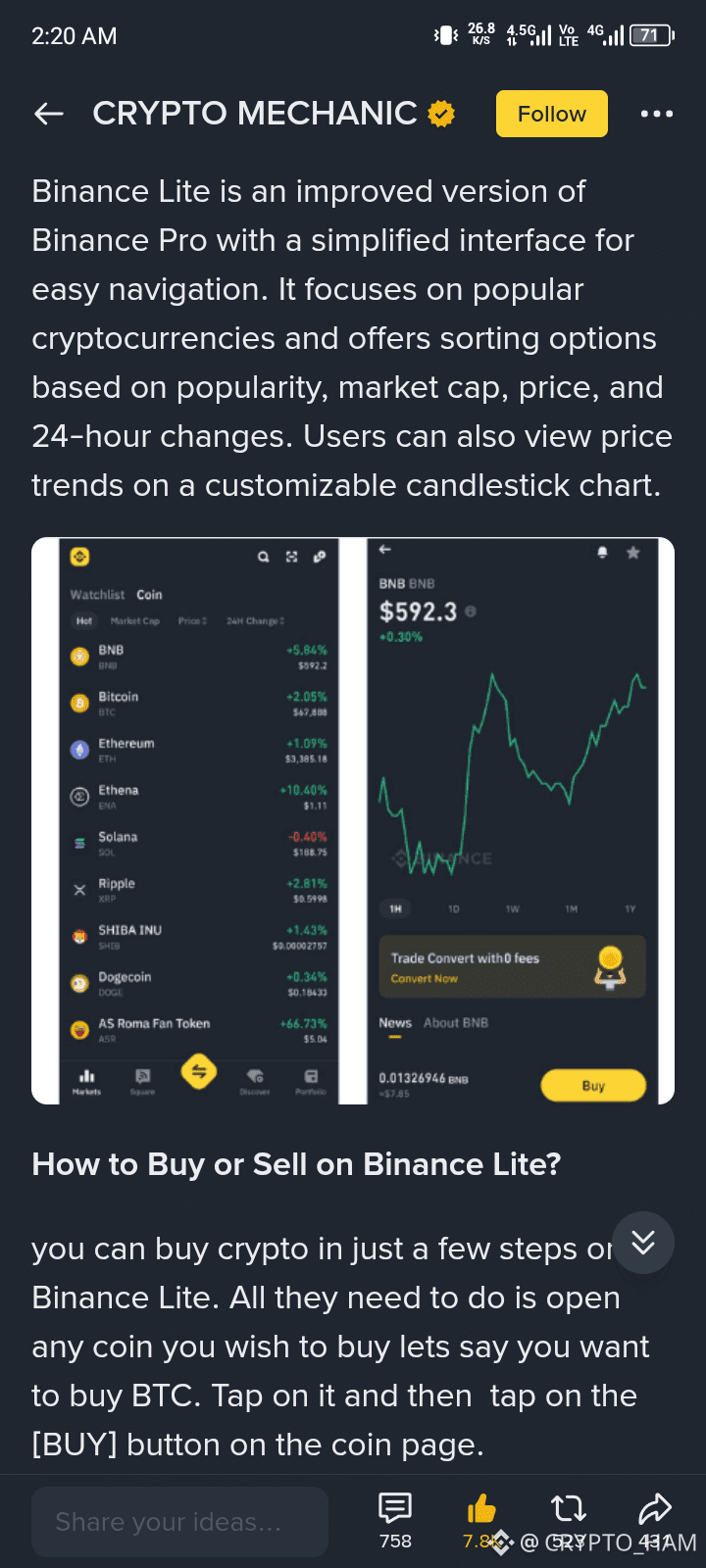
How to Buy or Sell on Binance Lite?
Buying crypto on Binance Lite only takes a few steps. Open the coin you want to buy, for example BTC. Tap on it, then press the [Buy] button on the coin’s page.
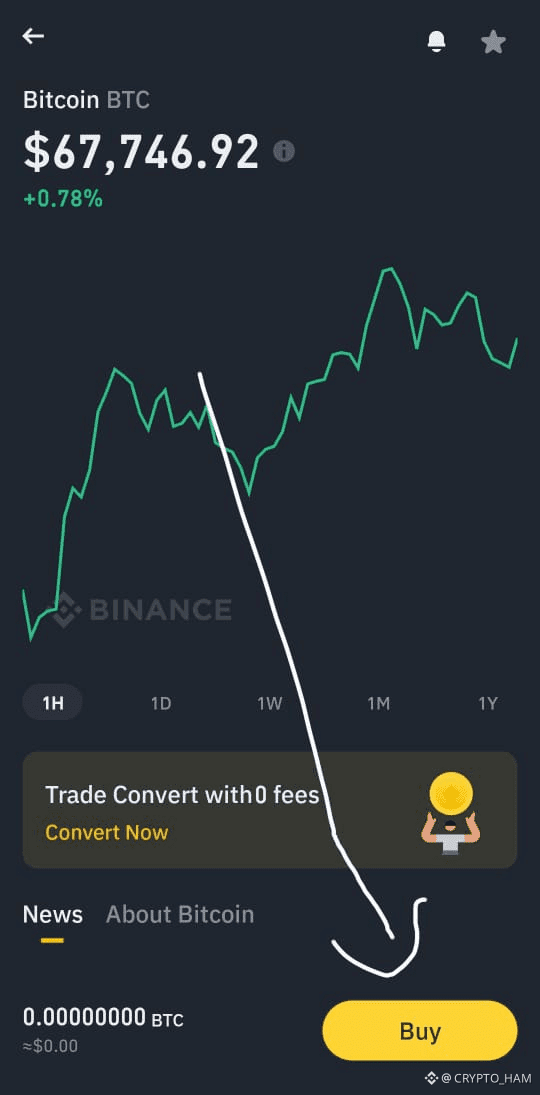
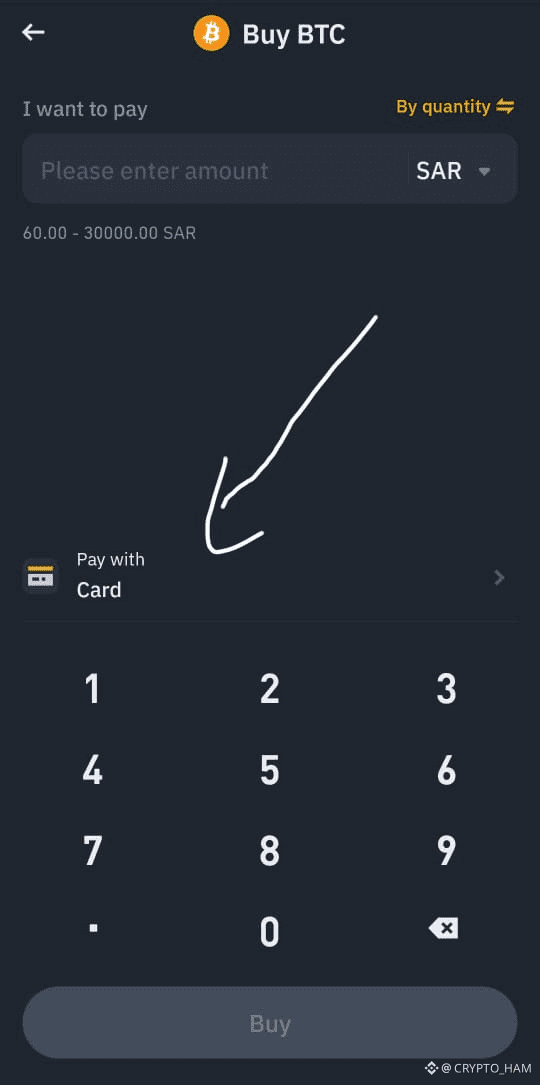
Next, choose the fiat currency you want to use, enter the amount, and select your preferred payment method to confirm the order. Once completed, your purchased crypto will appear in your wallet.
Selling works the same way. Just tap [Sell] from the top right corner.
Binance Convert
Binance Lite also offers a Convert option that allows you to swap one cryptocurrency for another.
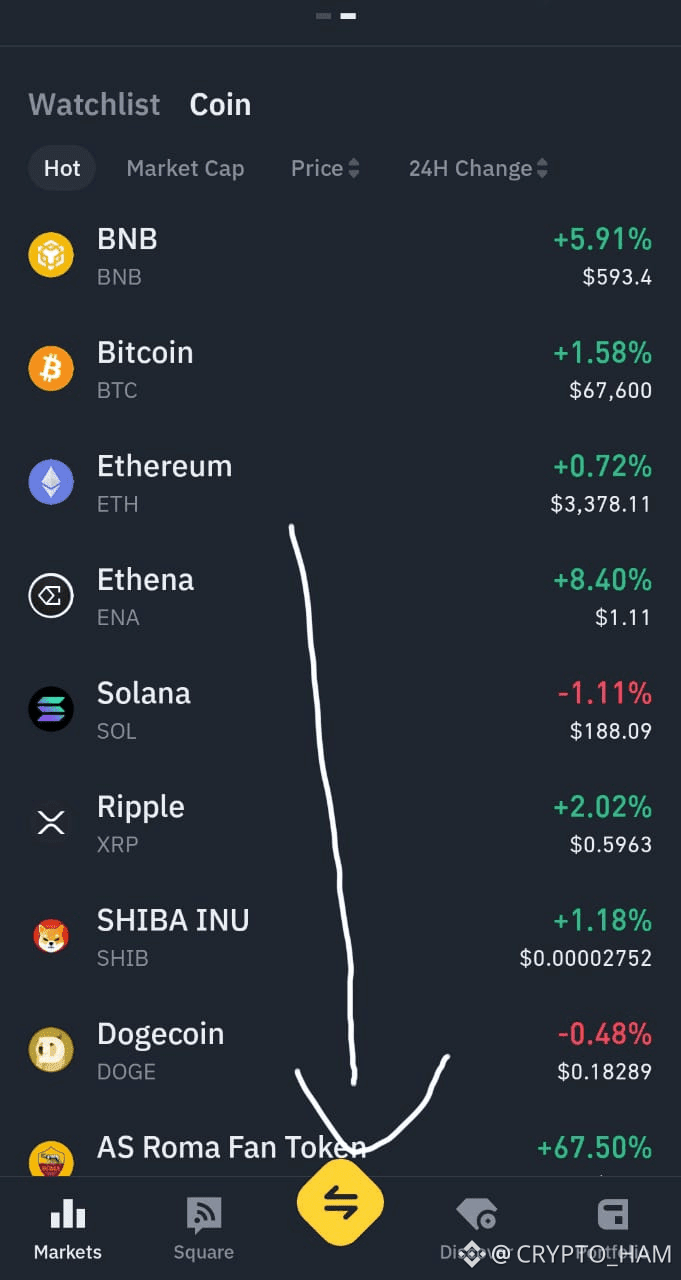
To access Binance Convert on the Binance Lite app, tap on the trade icon shown in the interface. After tapping it, you’ll see the Convert option. Select it to continue.
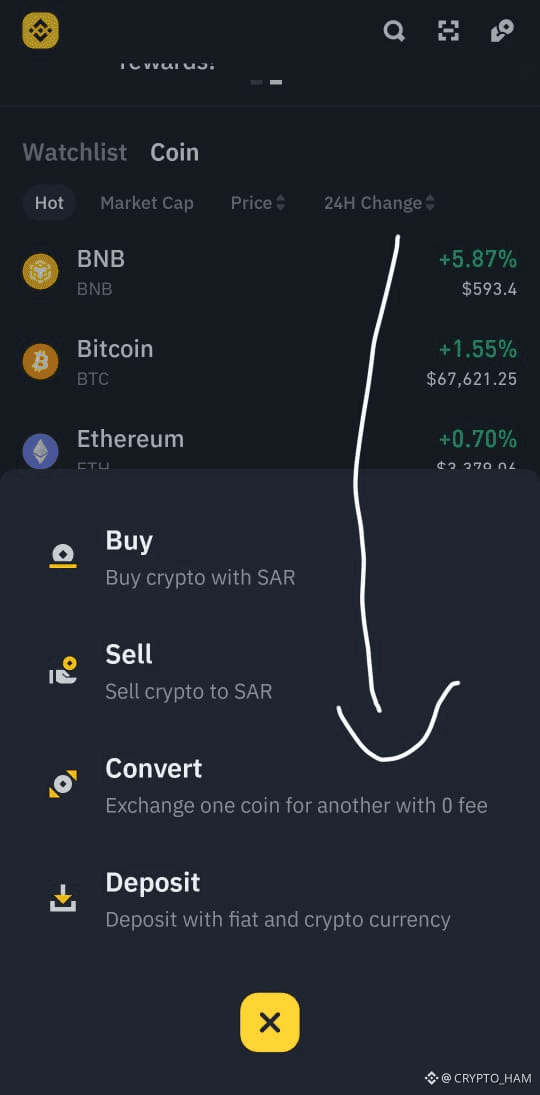
Convert (Market Option)
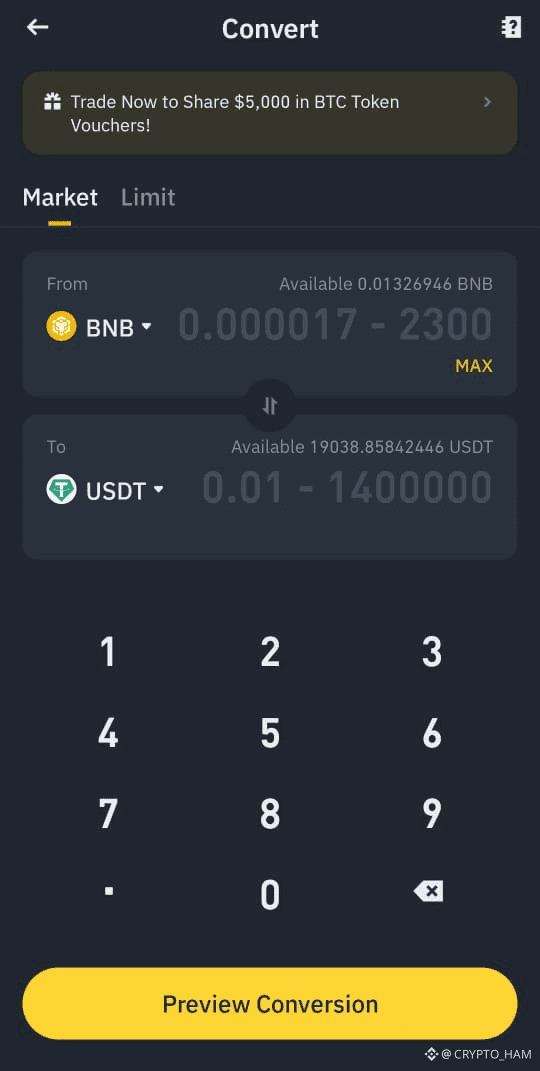
Choose the cryptocurrency you want to convert into another one. For example, converting BNB to USDT.
Enter the amount you want to convert and preview the conversion before confirming. With the market option, your order is completed instantly at the current market price.
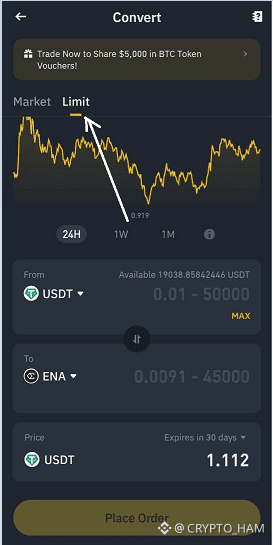
Convert (Limit Option)
You can also use the Limit option to place a conversion order at a specific price where you want to buy or sell. This gives you more control over the conversion price.
Closing Thoughts
If you’re an active or experienced trader, Binance Pro may be a better option since it offers advanced tools and more features to explore Binance’s full range of products and services. However, if you’re new to crypto and want a fast and simple way to get started, Binance Lite is highly recommended. You can always switch between Lite and Pro modes anytime, making it easy to try both and choose what suits you best.


