

If you want to buy tokenized stocks, all you need is a Binance account. If you don't have one yet, create one and we can get started.
How to buy tokenized stocks - step by step guide
To buy tokenized shares, follow these steps:
Log in to Binance Web3 Wallet (Quick tip: this is not a main account, but an additional wallet to the Biancne account, but you log in just like you would to your Binance account)
Create a new wallet or use a wallet you already have
Transfer funds from your Binance Main Account to WEB3 Wallet
Go to the Markets -> Tokenized stocks tab (as in the screenshot below)
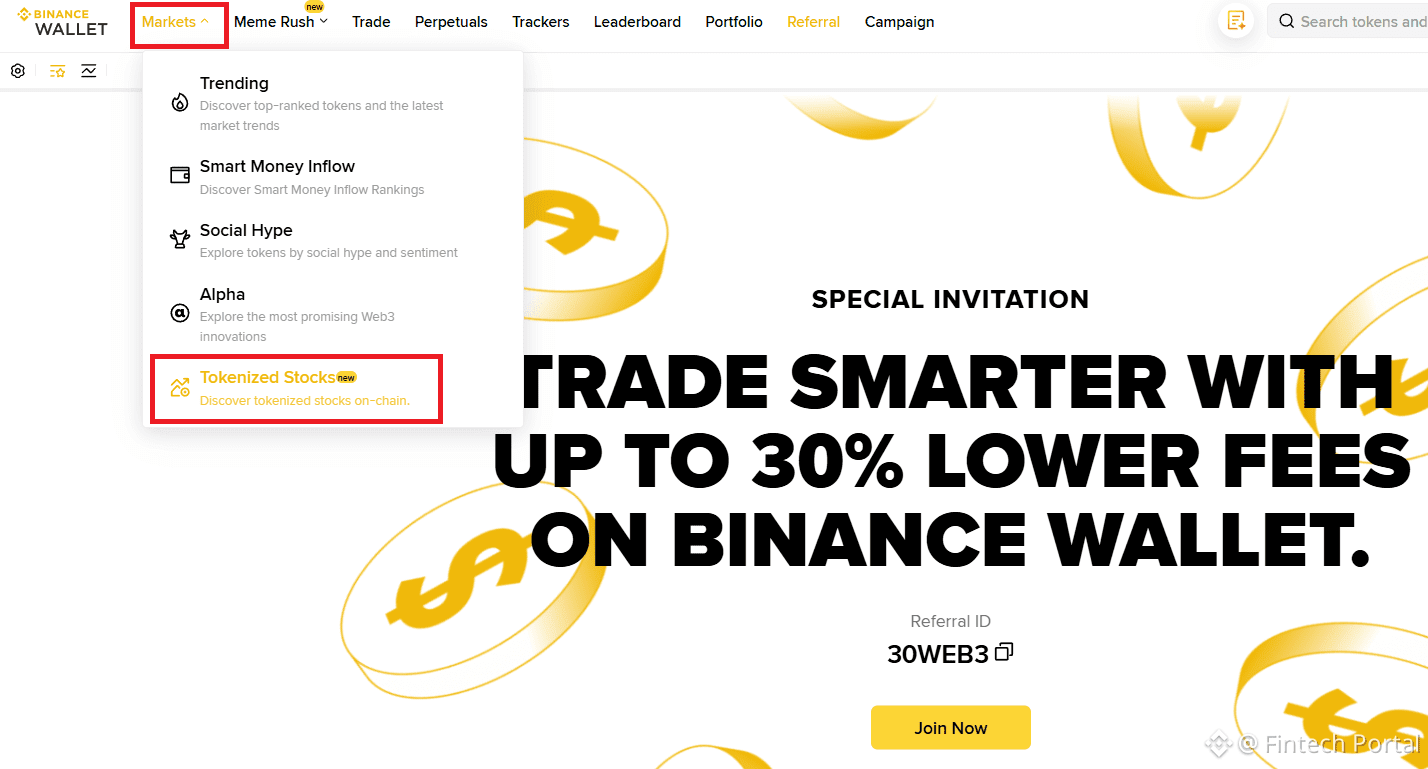
Tokenized Stocks tab on Binance Use the search engine to find the shares you are interested in
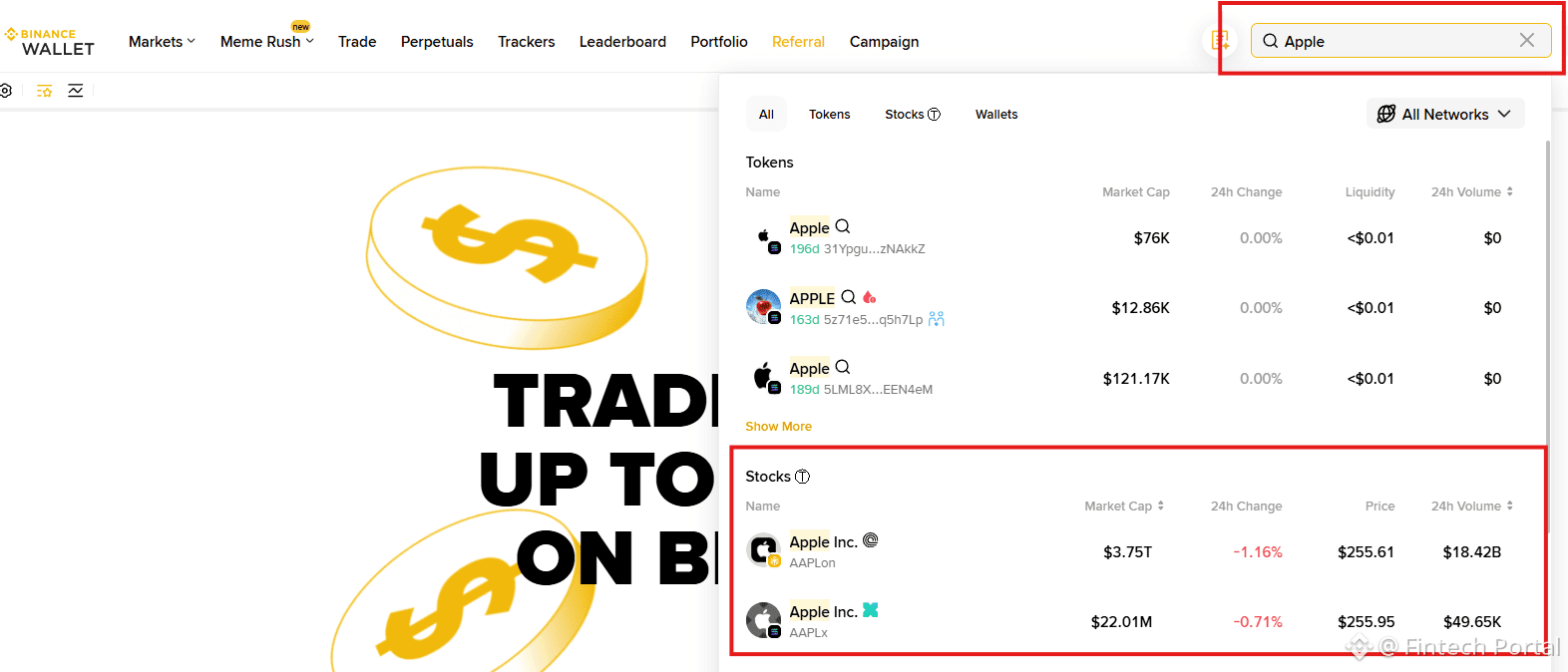
It is best to use a search engine to search for stocks From the menu on the right, select how many shares you want to buy and click the "buy" button.
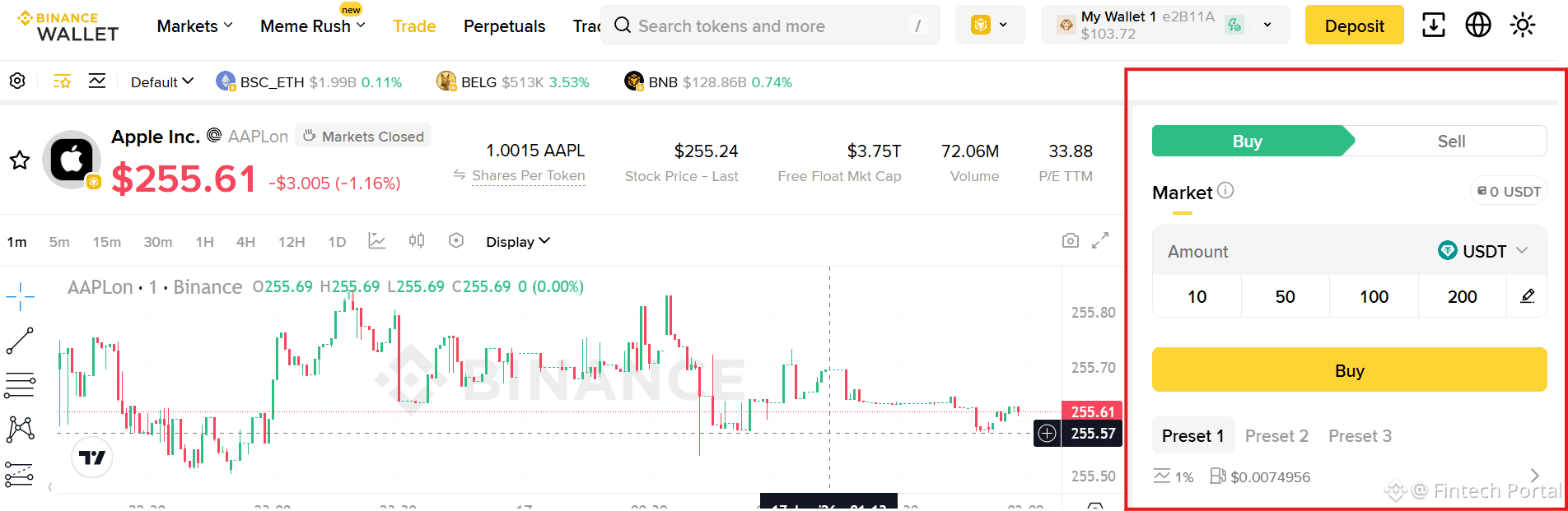
That's all. The process is quite intuitive, but it's worth emphasizing that:
Tokenized stocks support 24/5 trading, it is not open every day, only from Monday to Friday.
Price updates and trading activity follow U.S. market hours and pause temporarily during market closures or session transitions.