
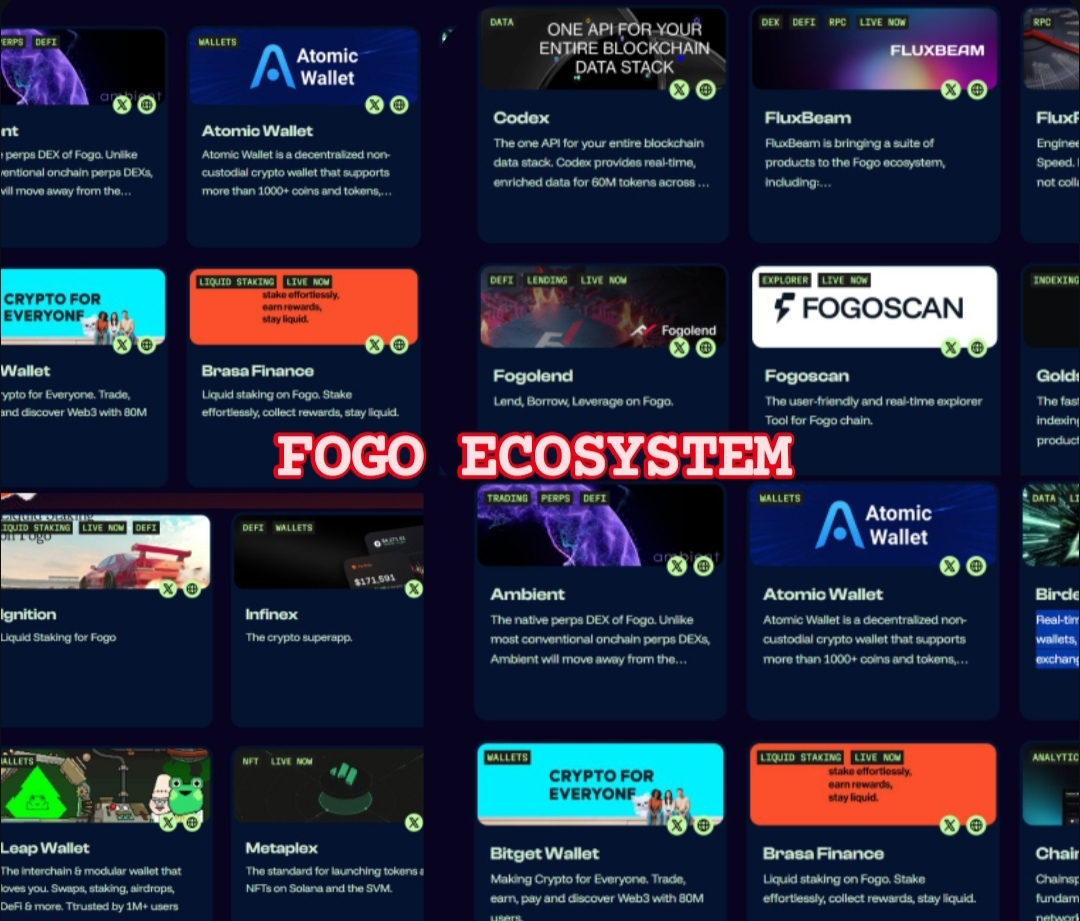
Today, I’m exploring the features of fogo.io by @Fogo Official once again. I’m interested in seeing how the FOGO ecosystem works. So, I clicked it up and check out some features. On this panel, we can see the partners collaborating with FOGO along with the projects they have carried out. Today, we’re going to take a closer look at one of their projects, The Fogoscan.
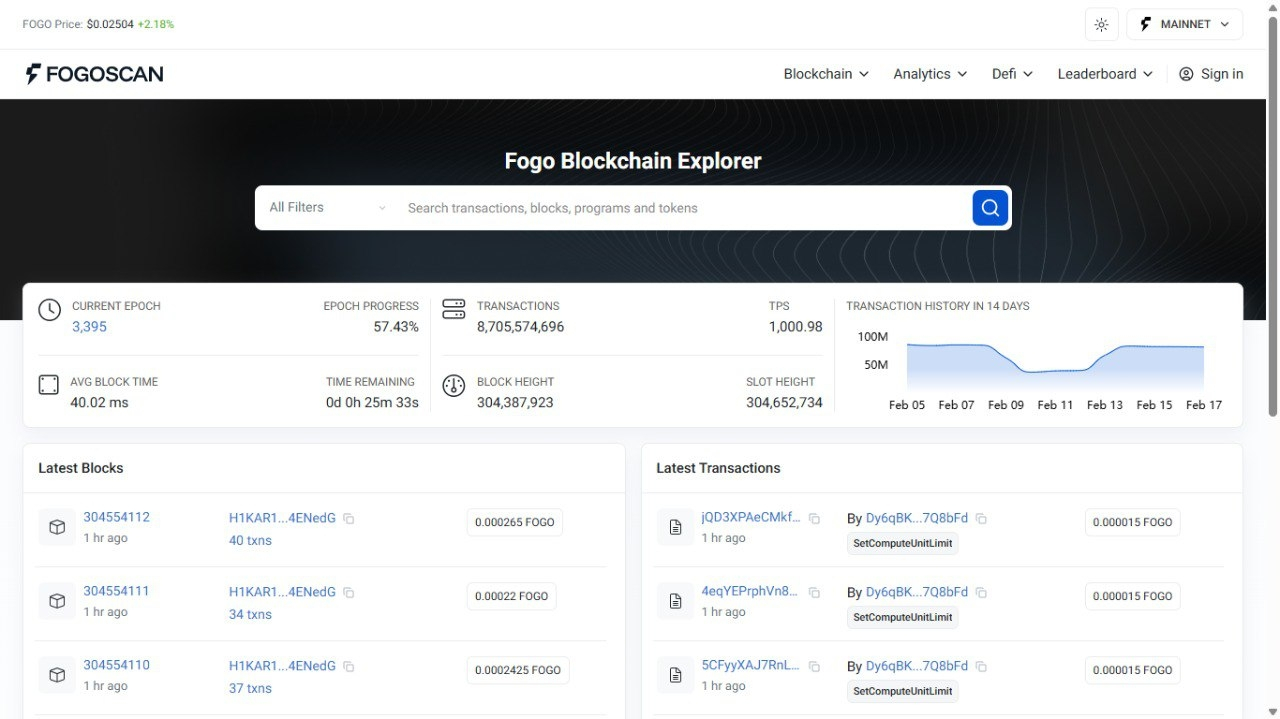
In the Fogoscan menu, we can see a search bar where you can view user transactions, wallet addresses, blocks, programs, and tokens. In the navigation menu, you will be directed to explore sections such as Blockchain, Analytics, DeFi, and Leaderboard. Let’s break them down brick by brick.
Network Overview Statistics
First of all we will be introduced by the network overview. In this panel, you can get the information of:
FOGO Price Display
Current Epoch
Epoch Progress (%)
Total Transactions
TPS (Transactions Per Second)
Average Block Time
Time Remaining in Epoch
Block Height
Slot Height
Transaction History Chart (Last 14 Days)
So we saw a lot of "EPOCH" terms comes in right? Epoch in a blockchain terms means a fixed period of time used to organize the network operation. Its like a cycle in the blockchain system. So what happen during this cycle? In this cycle, Epoch can be used as a validator rotation, reward distribution, performance tracking or even a Network Updates. In the Fogoscan, you can see the terms like "current epoch, epoch progress (%) and time remaining. These means the network is currently in one operational cycle. For a simple analogy, let say you are taking a semester in a school. You start the lessons and you take the course, going to the class everyday. Then you take a test and the result (rewards/performance) are calculated. After that you will make into the next semester with a report from previous performance or reward in the last semester.
Blockchain Activity Tracking
Another information that you can get from the Fogoscan is the blockchain activity tracking. These feature allows you to get:
Latest Blocks Section
2. Block number
3. Validator ID
4. Number of transactions per block
5. Block reward (in FOGO)
6. Timestamp
7. Latest Transactions Section
8. Transaction hash
9. Sender/Program
10. Transaction type (e.g., SetComputeUnitLimit)
11. Transaction fee (in FOGO)
12. Timestamp
Trade $FOGO Here 👇👇👇

#fogo | #StrategyBTCPurchase | #TradeCryptosOnX | #CPIWatch | #ETH