
Trading Platinum and Palladium on Binance Futures has become very easy today. But remember one thing clearly: when trading becomes easy, losing money can also become very fast if you are careless. That’s why understanding risk is very important before you trade.
Risk Management (Very Important)
Before placing any trade, you must understand the risks involved.
Leverage Risk
Leverage works like a power booster. It increases both profit and loss.
Even using medium leverage can be dangerous in metals like Platinum and Palladium because they move fast.
For example:
If you use high leverage and the price of Palladium drops just a little, your trade can get liquidated. This means you can lose 100% of the money you put as margin in seconds.
Market Volatility
Platinum and Palladium are not like gold. Their prices depend a lot on factories, cars, industry demand, and supply shortages.
Because of this, their prices move more sharply and unpredictably.
How to Stay Safe While Trading
To protect yourself, smart traders follow simple rules:
Always use a stop-loss so your loss is limited.
Trade with a small position size to protect your account.
Avoid high leverage, especially when the market is moving fast or liquidity is low.
How to Trade Platinum and Palladium on Binance Futures (Step-by-Step, Simple)
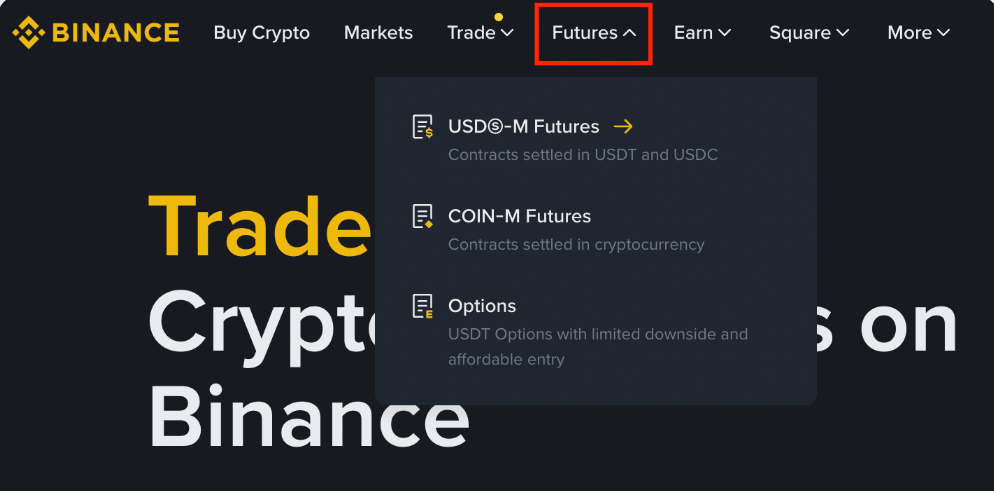
Step 1: Open Futures Market
Log in to your Binance account.
Click on [Futures], then select [USDⓈ-M Futures].
Note: In some countries, this product may not be available.
Step 2: Find the Trading Pair
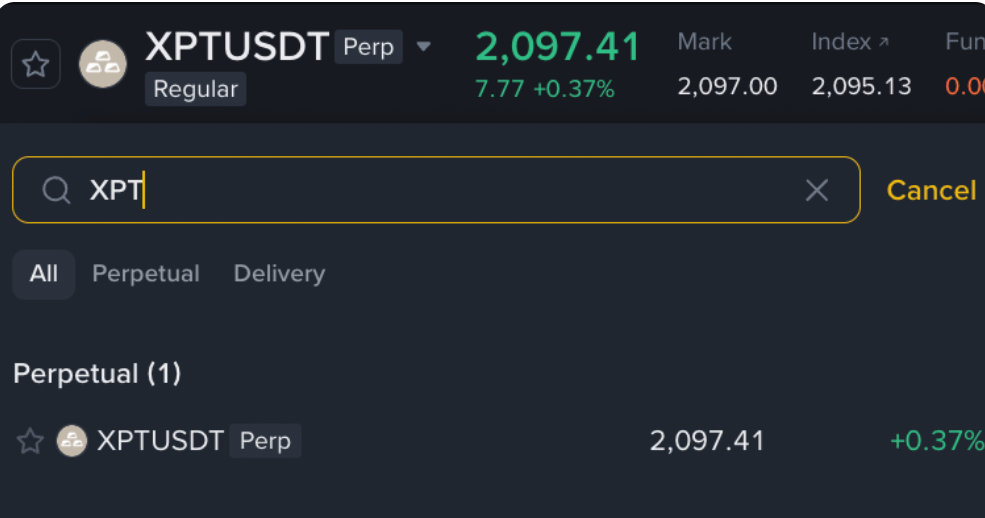
Open the trading pair search box.
Search XPTUSDT for Platinum
Search XPDUSDT for Palladium
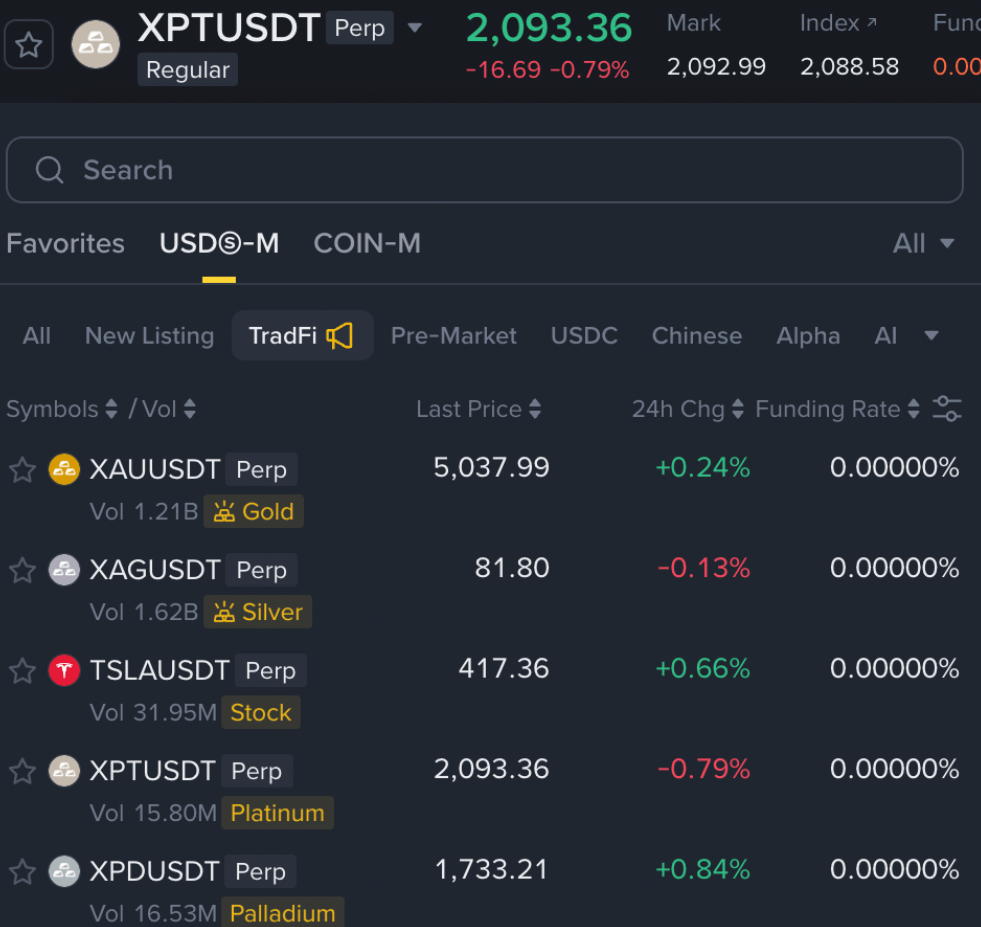
You can also find these contracts under the [TradFi] category.
Step 3: Check Your Futures Balance
At the bottom-right corner, you will see your Futures account balance.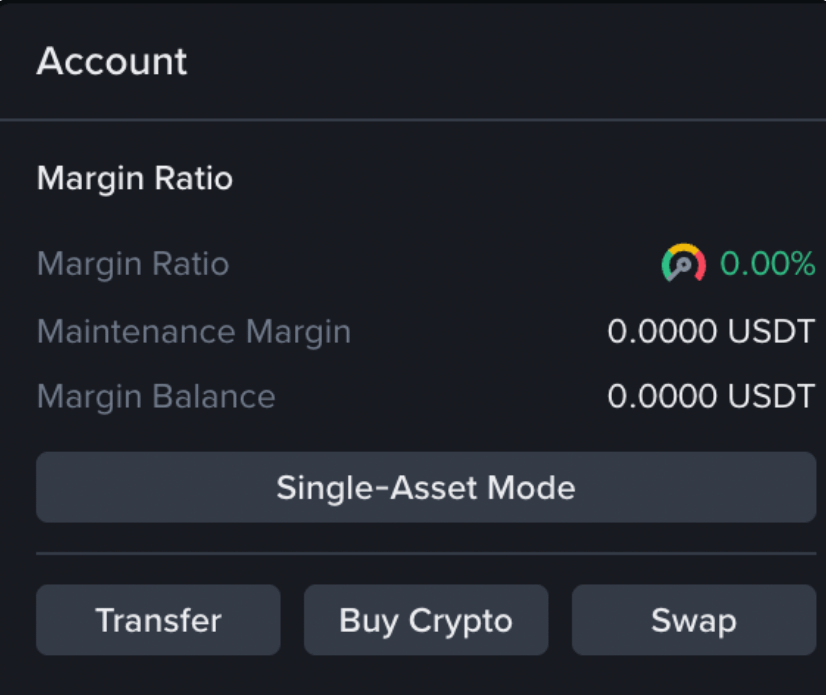
If your balance is zero, you can add funds by using:
Transfer (from Spot Wallet)
Buy Crypto
Swap
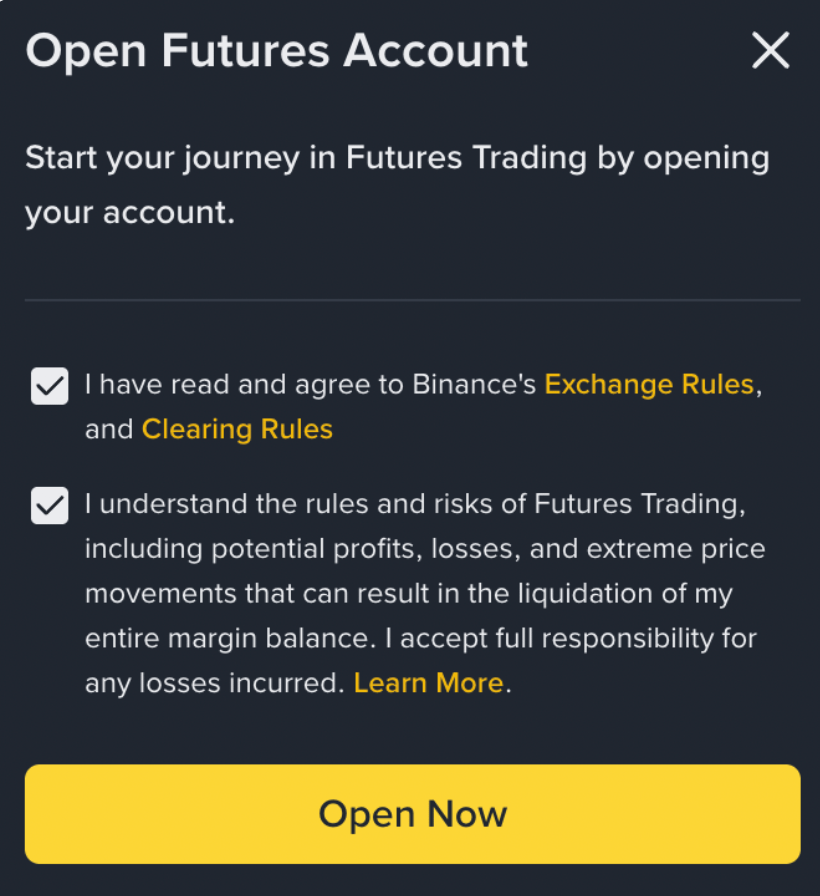
If this is your first time using Binance Futures, you must:
Open a Futures account
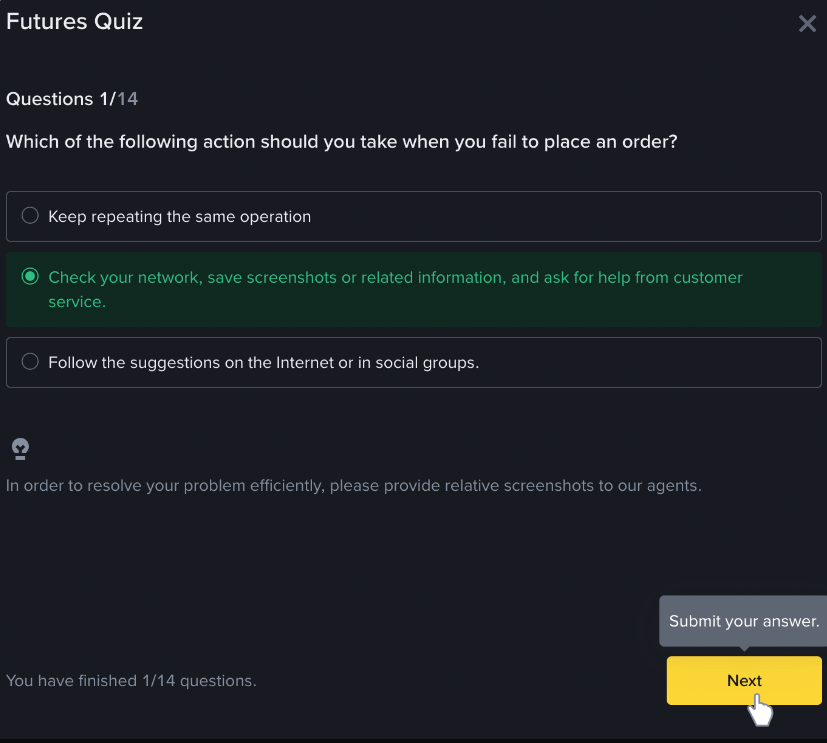
Complete a short Futures Quiz before trading
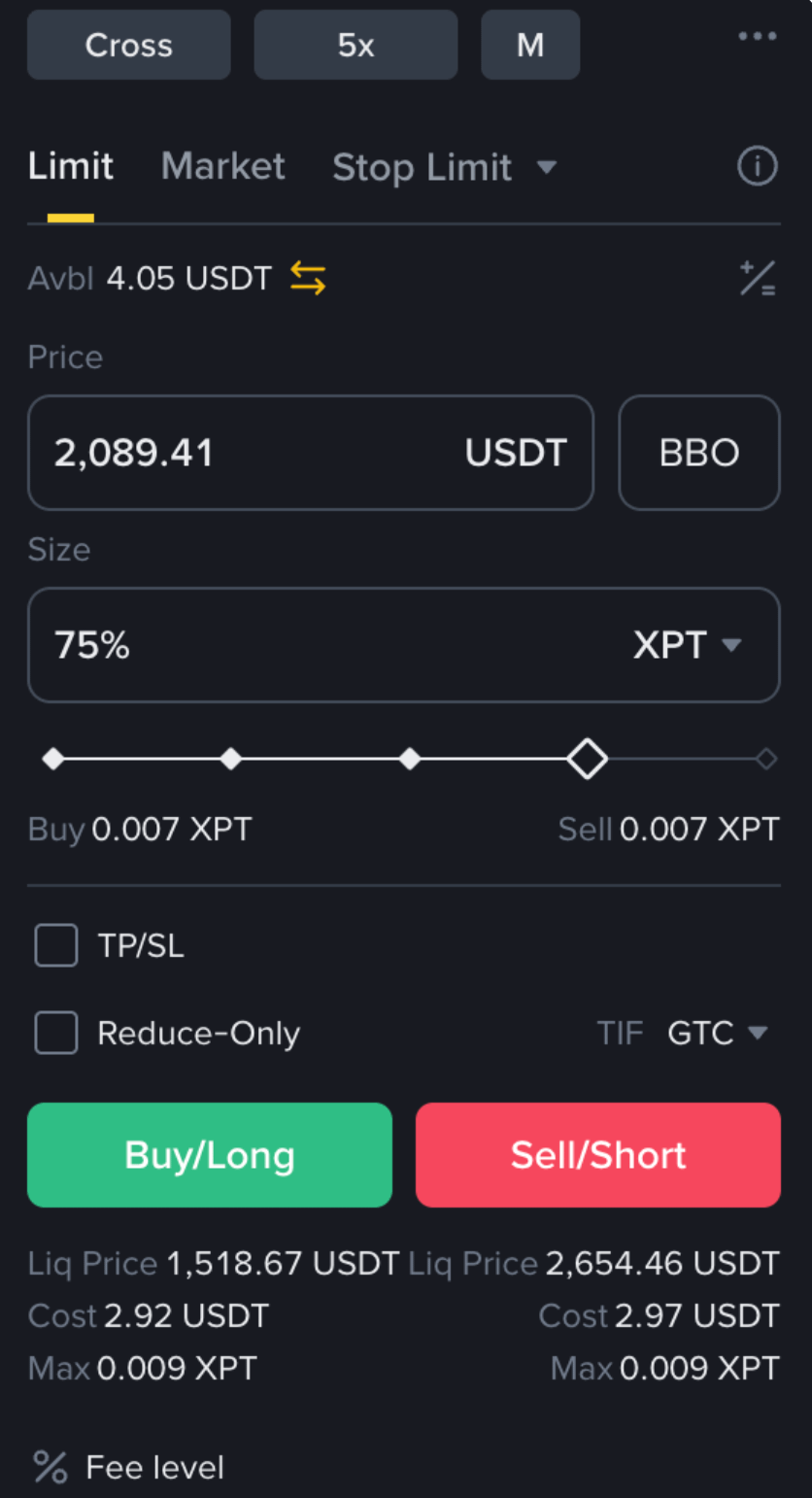
Step 4: Place a Trade
Once everything is ready, use the order panel to:
Buy (Long) if you think price will go up
Sell (Short) if you think price will go down
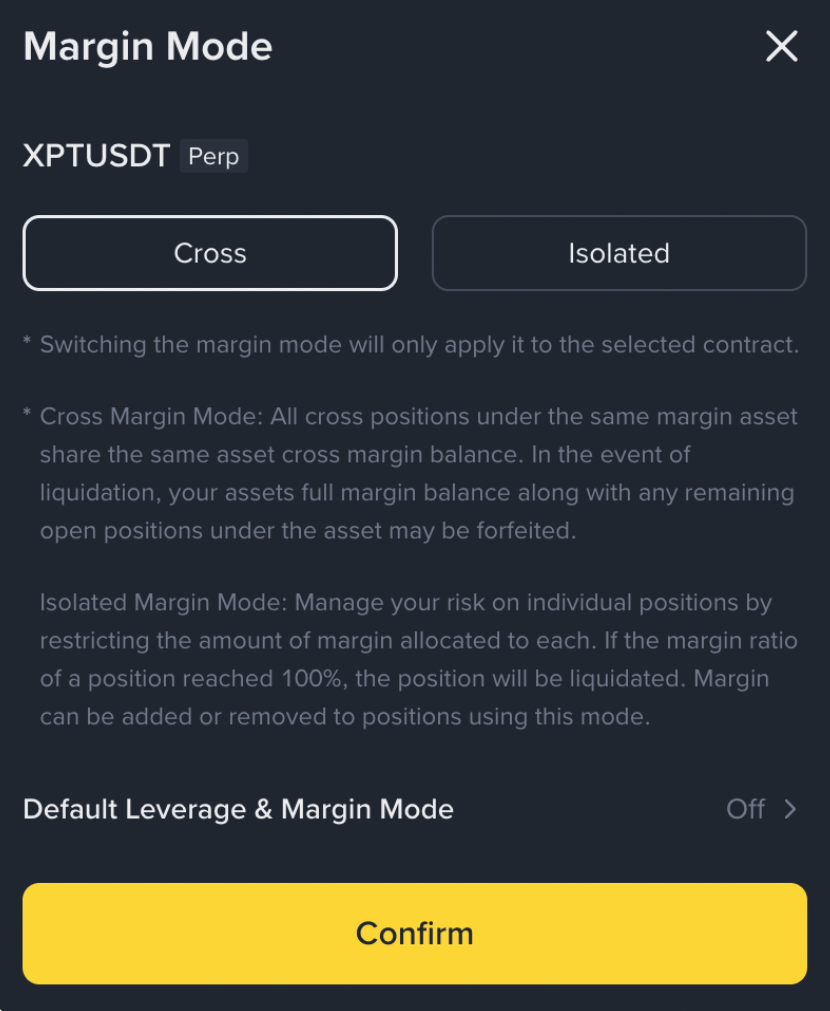
Step 5: Choose Margin Mode (Very Important)
At the top-right, you will see [Cross]. Click it to choose between:
Cross Margin Mode
Uses all money in your Futures wallet
All open trades affect each other
Loss in one trade can liquidate another trade
Example: Your gold trade can be closed to cover losses in your silver trade
Isolated Margin Mode
Each trade has its own separate margin
Loss is limited only to that trade
Other trades stay safe
👉 For beginners, Isolated Mode is safer
Step 6: Monitor Your Trades
At the bottom of the screen, you can track:
Open Positions
Open Orders
Order History
Profit & Loss details
Final Simple Advice
Platinum and Palladium trading can be profitable, but only if you respect risk.
Trade slow, use low leverage, protect your capital first — profits come later.
