
Cryptocurrency markets are highly volatile, meaning prices can move rapidly within short periods. Because of this volatility, traders often seek tools that allow them to enter or exit positions without continuously monitoring the market.
It's where Limit orders cones in. Unlike market orders, which execute immediately at the current price, limit orders allow traders to define the exact price at which they wish to buy or sell an asset. This tutorial explains how limit orders work on Binance, compares them to market orders, and provides step-by-step guidance for placing, managing, and optimizing limit trades. The goal is to help beginners understand how to automate entries and exits during volatile market conditions.
1. Limit Orders vs Market Orders
Understanding the difference between order types is essential before placing trades.
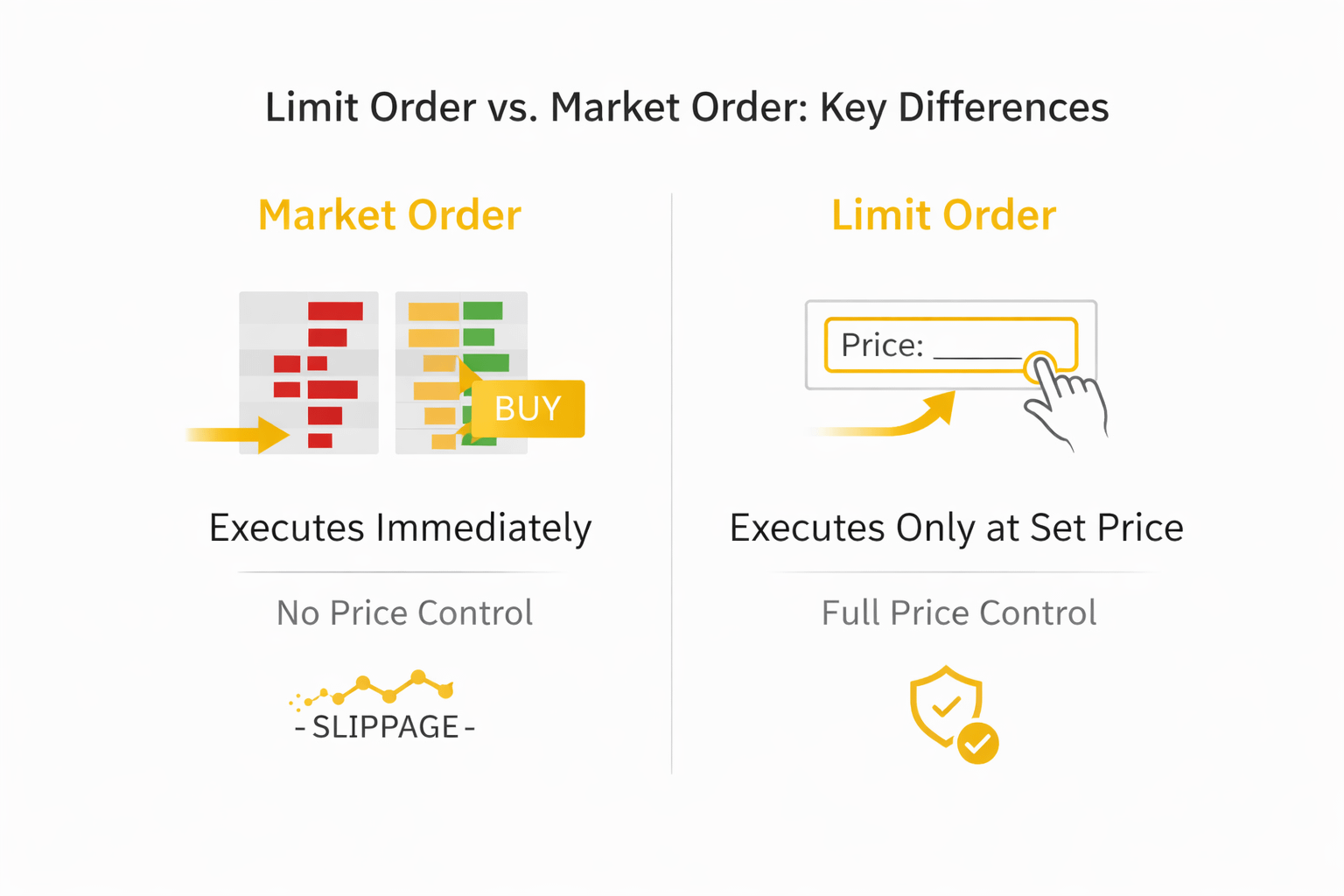
1.1 Market Orders
A market order executes immediately at the best available price in the order book.
Advantages:
Fast execution
Suitable for urgent trades
Disadvantages:
No control over final price
Possible price slippage (difference between expected and actual execution price)
Market orders prioritize speed over price precision.
1.2 Limit Orders
A limit order executes only at a specified price or better.
Buy limit order: Set below the current market price.
Sell limit order: Set above the current market price.
Advantages:
Full price control
Reduced risk of slippage
Suitable for strategic entries and exits
Disadvantages:
No guarantee of execution
May remain unfilled if price does not reach the set level
Limit orders prioritize price control over speed.
2. Why Use Limit Orders in Volatile Markets?
In volatile conditions, prices frequently move up and down within short intervals. Instead of reacting emotionally to price swings, traders can predefine their desired entry and exit points.
For example:
If Ethereum (ETH) is trading at $2,000, a trader may set a buy limit at $1,950.
If the price declines to $1,950, the order executes automatically.
Alternatively, a sell limit could be placed at $2,200 to secure profits during a rally.
This approach reduces emotional decision-making and allows for structured trading.
3. Step-by-Step Guide: How to Set a Limit Order on Binance
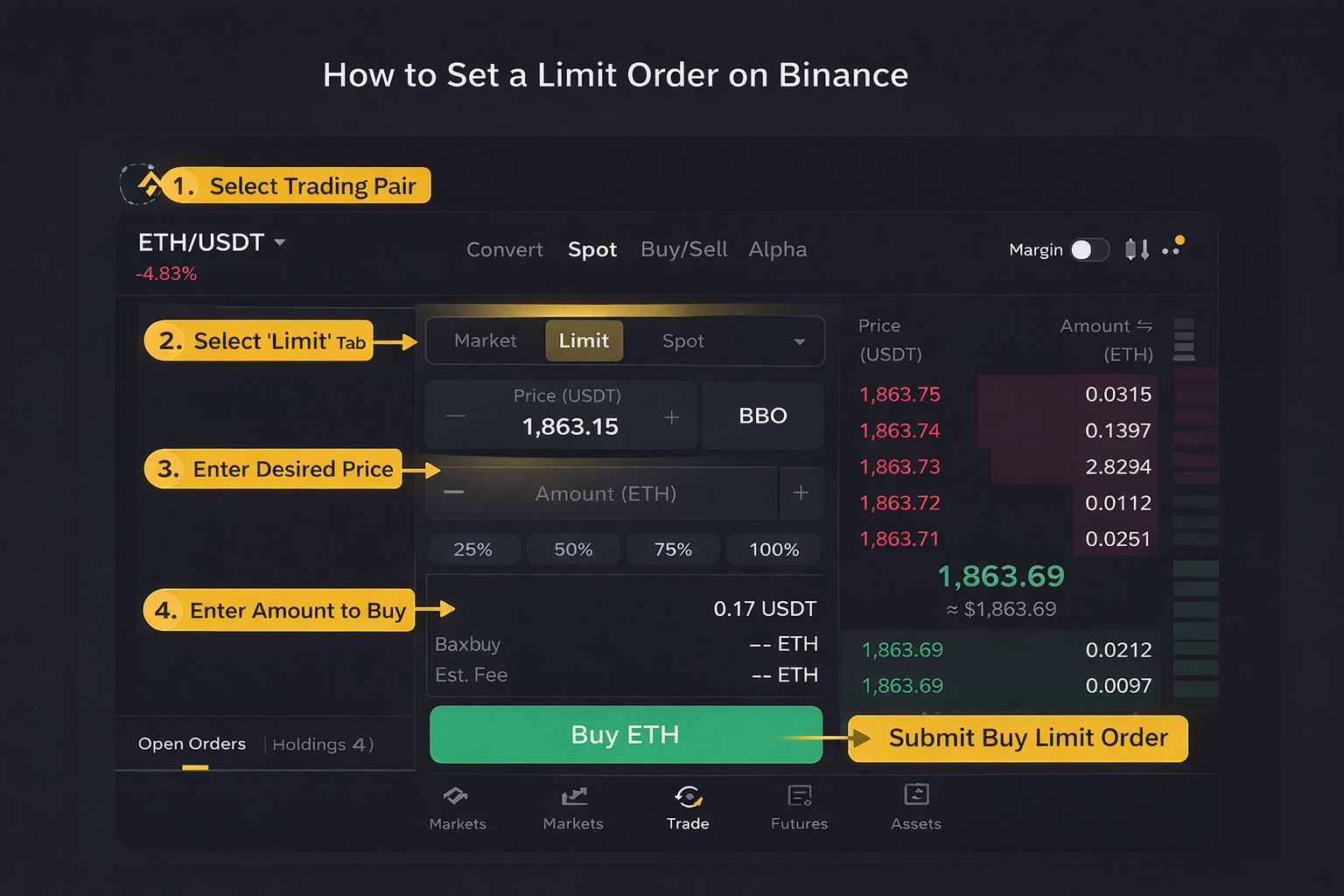
IStep 1: Access the Trading Interface
Log into your Binance account.
Navigate to Trade.
Select Spot (for spot trading).
Choose a trading pair (e.g., ETH/USDT).
Step 2: Select “Limit” Order Type
In the order panel, choose the Limit tab.
The interface will display fields for price and amount.
Step 3: Enter Order Details
For a Buy Limit Order:
Enter a price below the current market price.
Enter the amount of cryptocurrency you want to purchase.
For a Sell Limit Order:
Enter a price above the current market price.
Enter the amount you wish to sell.
Some exchanges like Binance also provides percentage shortcuts (25%, 50%, 75%, 100%) to quickly allocate available funds.
Step 4: Confirm and Submit
Review order details carefully.
Check applicable trading fees.
Click Buy or Sell to submit the order.
Once placed, the order appears in the Open Orders section.
4. Managing and Canceling Limit Orders
After submission, limit orders can be monitored and adjusted.
Navigate to the Orders tab.
View active (open) orders.
Cancel orders if market conditions change.
Replace them with updated price levels if needed.
Unfilled limit orders remain active until:
They are executed,
They are manually canceled, or
They expire (depending on time settings such as Good-Till-Canceled).
5. Practical Example
Assume ETH is currently trading at $2,000.
Scenario A: Buying the Dip
A trader anticipates a temporary price decline.
They place a buy limit order at $1,950.
If the market falls to that level, the purchase executes automatically.
Scenario B: Selling into Strength
After purchasing at $1,950, the trader sets a sell limit at $2,200.
If the market rises, profits are secured without manual intervention.
This demonstrates how limit orders support structured “buy low, sell high” strategies.
6. Additional Considerations
Trading Fees
Binance charges trading fees that vary depending on user tier and whether BNB is used to pay fees. Using BNB may reduce trading costs.
Order Execution Risk
Limit orders do not guarantee execution. If the market never reaches the specified price, the trade will not occur.
Stop-Limit Orders
A stop-limit order combines a trigger price (stop) with a limit price. It is commonly used for risk management, such as limiting losses.
7. Limit Orders as a Risk-Management Tool
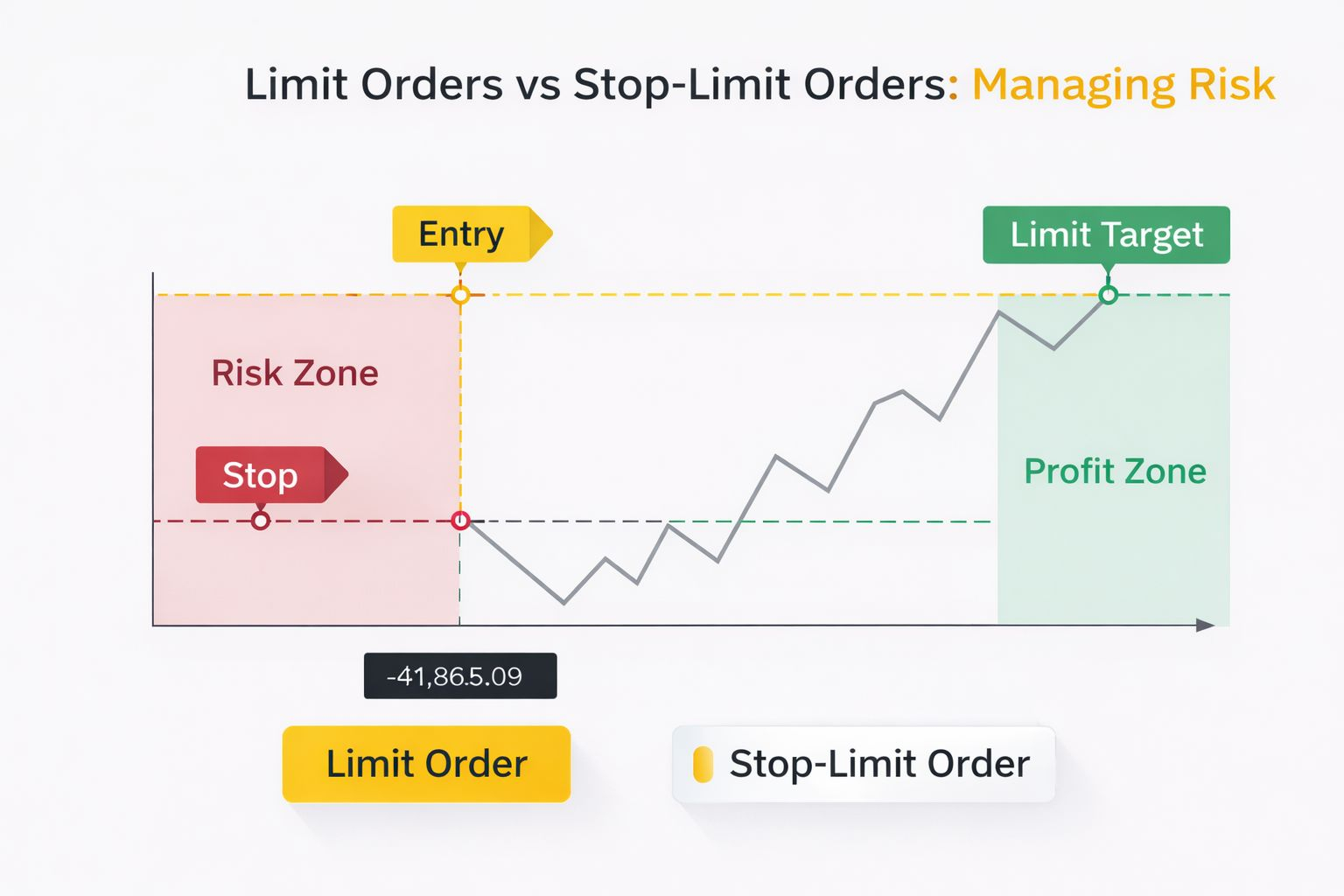
Limit orders can improve discipline by:
Defining entry and exit prices in advance
Reducing emotional reactions
Allowing structured strategy execution
However, they do not eliminate risk. Cryptocurrency markets remain unpredictable, and price gaps can occur during periods of high volatility.
Traders should:
Avoid placing unrealistic price levels
Consider overall portfolio risk
Use proper position sizing
To summarize, Limit orders are a foundational feature of cryptocurrency trading. They provide price control, support strategic execution, and reduce the need for constant market monitoring.
For beginners, understanding the difference between limit and market orders is essential. By learning how to set, manage, and adjust limit orders properly, traders can build more disciplined and structured trading approaches.
Used correctly, limit orders help align trading actions with predefined strategies rather than emotional reactions.